17 ©RECONYX, Inc.
Scheduling HyperFire Security Series Cameras
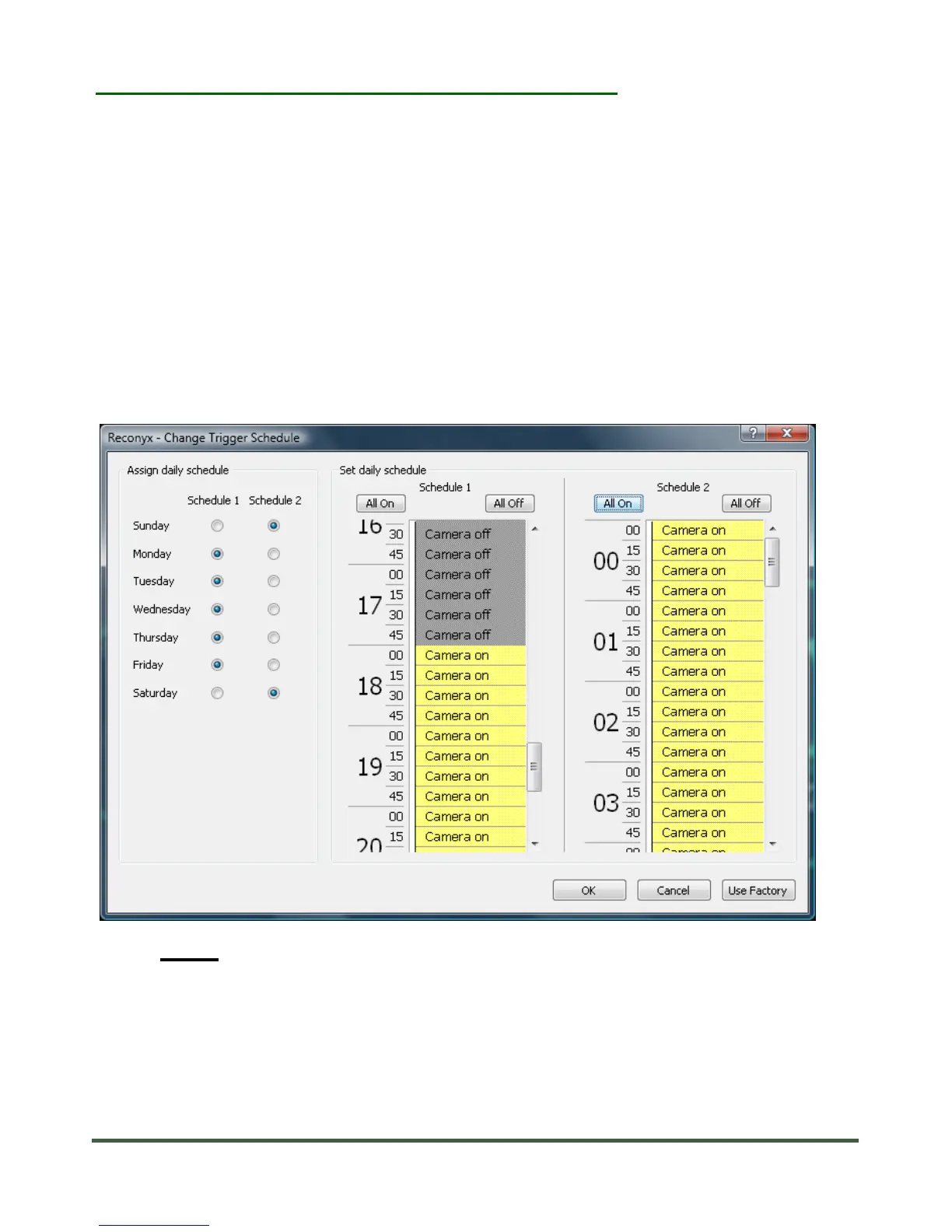
You can schedule your security camera to be “On” and “Off” during different
times of the day on different days of the week. These settings are available
through the Scheduling Software that is included on the CD you received with
your camera. The Help file, accessible with the (?), in the Scheduling Software
explains your options for scheduling in more detail.
When you schedule your Security camera using your PC, the camera will display
“SAVED SCHEDULE” when you switch the camera on with SD card that contains
the Scheduling file inserted. The camera will remember these settings even
when shut off, so you do not need to reconfigure the camera unless you want to
change its behavior.
NOTE: If you have scheduled your camera from your PC it will say
“USING SCHEDULE” when you turn it on. If you go back to
Default settings in the Change Setup menu, your schedule will be
wiped out and the camera will be “On” all the time. If you want to
re-schedule, you will need to do this again on your PC.


 To Next Page