7 RECONYX
®
, Inc.
Secure Digital
®
(SD, SDHC, SDXC) Card Specifications
A Secure Digital (SD/SDHC/SDXC) card is used to store the pictures your
camera captures. These images may be transferred to your computer using
standard image viewing software or RECONYX
®
BuckView™ mapping and
image management software.
TIP: Many digital cameras and smartphones can be used to view images taken
by the HyperFire 2™ camera. No need to purchase a special purpose
viewer!
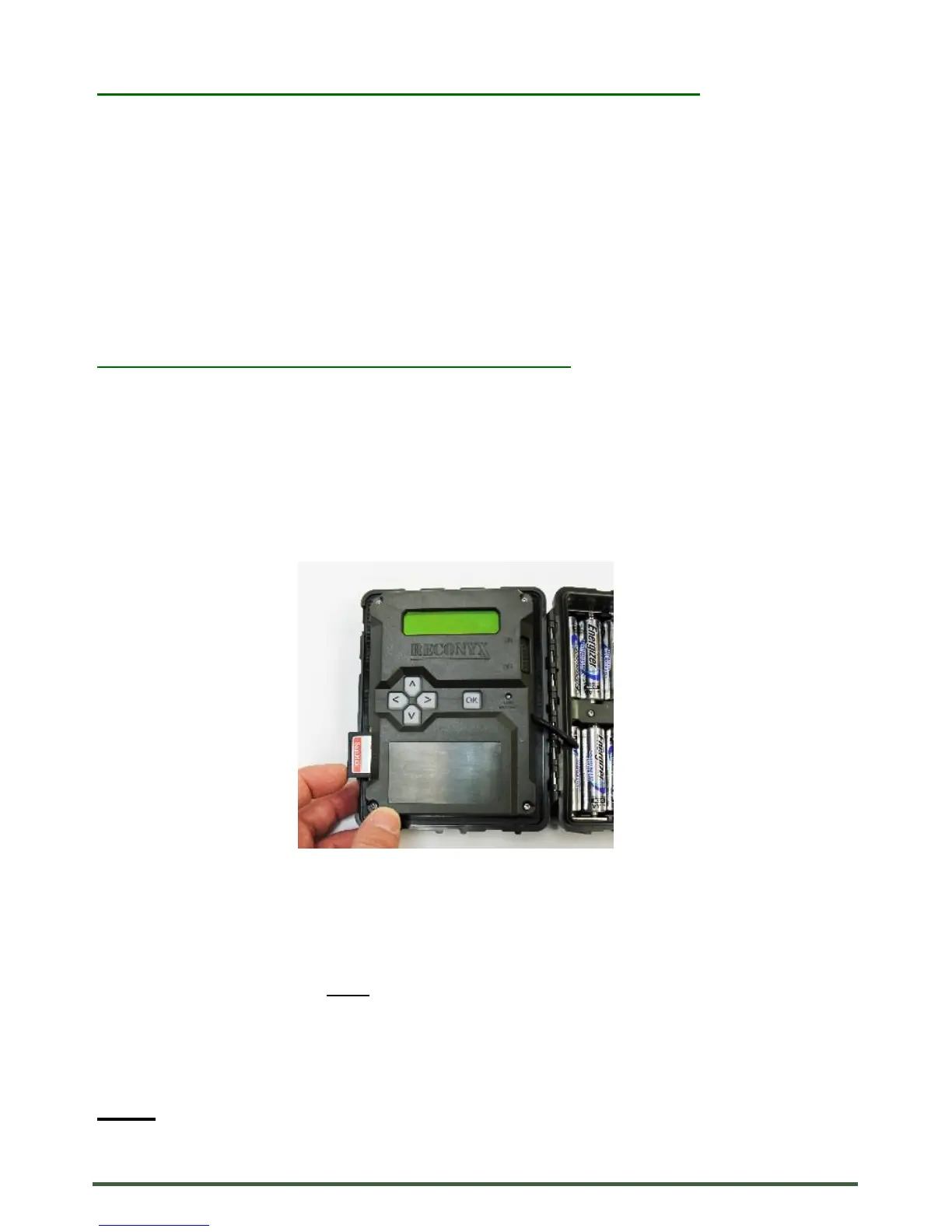
Insertion and Removal of the memory card
Make sure the orientation is correct and that the card is aligned properly. Push
gently on the memory card as shown below until it clicks into place.
Warning! Inserting the memory card upside down or backwards could
damage the camera or the memory card. Damage resulting from inserting
the card incorrectly is not covered under warranty.
To remove memory cards:
1) Press <OK> to disarm the camera (the battery status and number of
pictures taken since last armed will be displayed on the LCD).
2) Switch the power OFF.
3) Press and release the card to partially eject the memory card.
4) The card can then be removed by grasping it with your fingers.
NOTE: Always disarm the camera (by pressing OK) and switch the power off
before removing or inserting the memory card.


 To Next Page