GENERAL DESCRIPTION
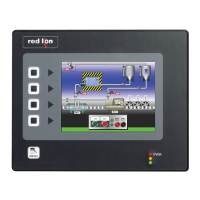
The G310 Operator Interface Terminal combines unique capabilities normally
expected from high-end units with a very affordable price. It is built around a
high performance core with integrated functionality. This core allows the G310
to perform many of the normal features of the Paradigm range of Operator
Interfaces while improving and adding new features.
The G310 is able to communicate with many different types of hardware using
high-speed RS232/422/485 communications ports and Ethernet 10 Base T/100
Base-TX communications. In addition, the G310 features USB for fast downloads
of configuration files and access to trending and data logging. A CompactFlash
socket is provided so that Flash cards can be used to collect your trending and data
logging information as well as to store larger configuration files.
In addition to accessing and controlling of external resources, the G310
allows a user to easily view and enter information. An outdoor version is
available for direct sunlight applications. Users can enter data through the
touchscreen or front panel 8-button keypad.
SAFETY SUMMARY
All safety related regulations, local codes and instructions that appear in the
manual or on equipment must be observed to ensure personal safety and to
prevent damage to either the instrument or equipment connected to it. If
equipment is used in a manner not specified by the manufacturer, the protection
provided by the equipment may be impaired.
Do not use the controller to directly command motors, valves, or other
actuators not equipped with safeguards. To do so can be potentially harmful to
persons or equipment in the event of a fault to the controller.
CONTENTS OF PACKAGE
- G310 Operator Interface.
- Panel Gasket.
- This hardware bulletin.
- Template for panel cutout.
- Hardware packet for mounting unit into panel.
- Terminal block for connecting power.
ORDERING INFORMATION
MODEL NO. DESCRIPTION PART NUMBER
G310
Operator Interface for indoor applications only,
textured finish with embossed keys
G310C000
Operator Interface for indoor or outdoor applications,
glossy finish with UV rated overlay (keys are not
embossed)
G310S000
G3CF CompactFlash Card
5
G3CFxxxx
G3RS RS 232/485 Optional Communication Card G3RS0000
G3CN CANopen Optional Communication Card G3CN0000
G3PBDP Profibus DP Optional Communication Card G3PBDP00
G3GSM
GSM/GPRS Modem Option Card for G3 operator
interface
G3GSM000
SFCRM2 Crimson
2
SFCRM200
CBL
RS-232 Programming Cable CBLPROG0
USB Cable CBLUSB00
Communications Cables
1
CBLxxxxx
DR DIN Rail Mountable Adapter Products
3
DRxxxxxx
Replacement Battery
4
BNL20000
G310C Backlight Replacement
6
CONSULT
FACTORY
G310S Backlight Replacement
6
G3FILM Protective Films G3FILM10
1
Contact your Red Lion distributor or visit our website for complete selection.
2
Use this part number to purchase Crimson on CD with a printed manual, USB
cable, and RS-232 cable. Otherwise, download for free from www.redlion.net.
3
Red Lion offers RJ modular jack adapters. Refer to the DR literature for details.
4
Battery type is lithium coin type CR2025
5
Industrial grade two million write cycles. SMART Modular Technologies model
SG9CF (UL Listed Directory Category NWGQ).
6
For use in non-hazardous locations only.
MODEL G310 - GRAPHIC LCD OPERATOR INTERFACE TERMINAL WITH
VGA DISPLAY AND TOUCHSCREEN
Bulletin No. G310-L
Drawing No. LP0581
Released 04/09
Tel +1 (717) 767-6511
Fax +1 (717) 764-0839
www.redlion.net
CompactFlash is a registered trademark of CompactFlash Association.
CONFIGURED USING CRIMSON
®
SOFTWARE (VERSION 2.0 OR
LATER)
UP TO 5 RS-232/422/485 COMMUNICATIONS PORTS
(2 RS-232 AND 1 RS-422/485 ON BOARD, 1 RS-232 AND 1
RS-422/485 ON OPTIONAL COMMUNICATIONS CARD)
10 BASE T/100 BASE-TX ETHERNET PORT TO NETWORK
UNITS AND HOST WEB PAGES
USB PORT TO DOWNLOAD THE UNIT’S CONFIGURATION
FROM A PC OR FOR DATA TRANSFERS TO A PC
UNIT’S CONFIGURATION IS STORED IN NON-VOLATILE
MEMORY (8MBYTE FLASH)
COMPACTFLASH
®
SOCKET TO INCREASE MEMORY CAPACITY
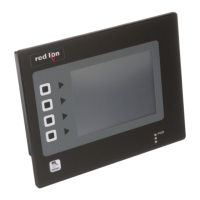
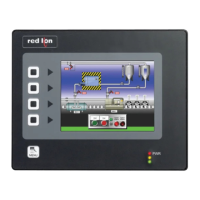
10.4-INCH TFT 256 COLOR VGA 640X480 PIXEL LCD
OUTDOOR UNIT WITH UV RATED OVERLAY AVAILABLE
8-BUTTON KEYPAD FOR ON-SCREEN MENUS
THREE FRONT PANEL LEDS
POWER UNIT FROM 24VDC ±20% SUPPLY
RESISTIVE ANALOG TOUCHSCREEN
CAUTION: Risk Of Danger.
Read complete instructions prior to
installation and operation of the unit.
CAUTION: Risk of electric shock.
The protective conductor terminal is bonded to conductive
parts of the equipment for safety purposes and must be
connected to an external protective earthing system.
1
UL Recognized Component,
File # E179259

 Need help?
 General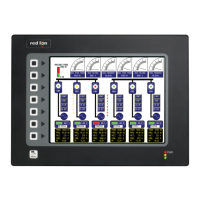

 To Next Page