Need help?
Do you have a question about the red lion G306A000 and is the answer not in the manual?
General safety rules, local codes, and instructions for safe operation and preventing damage.
Details on power supply requirements and the unit's backup battery.
Specifications for the TFT LCD screen and onboard/external memory options.
Details on USB, serial ports, and Ethernet connectivity.
Operating conditions, certifications, and safety compliances.
Instructions for panel mounting, gasket use, and connecting to earth ground.
Guidance on required 24 VDC power supply, cable selection, and noise considerations.
Methods for configuring the unit using Crimson software via USB, PGM port, or CompactFlash.
Procedure for transferring data using the USB port and CompactFlash card.
Details on Ethernet port speeds, wiring, and LED status indicators.
Table showing G3 RJ12 to PC DB9 pin connections for RS232 communication.
Diagram illustrating pinouts for Power, Ethernet, COMMS, and PGM ports.
Wiring diagrams for RS422 4-wire and RS485 2-wire connections.
Table detailing connections for DH485 communication with Allen Bradley SLC 500.
Information on Crimson software availability, updates, and configuration methods.
Details on the LCD display, CCFL lighting, and touchscreen functionality.
Explanation of front panel LED status and keypad functions.
Guidance on contacting Red Lion technical support for operational or connectivity issues.
Procedure for safely replacing the unit's internal battery and setting the time/date.
Warnings regarding high voltage from the inverter board and static sensitive components.
Information on optional communication cards and applying custom logos.
Specifications for the CompactFlash socket, card types, and usage for data transfer.
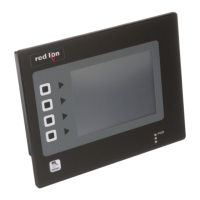
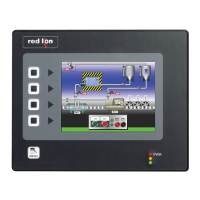
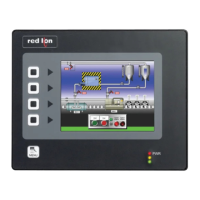
The Red Lion G306A is a graphic color LCD operator interface terminal featuring a TFT QVGA display and touchscreen, designed for industrial applications. It combines high-end unit capabilities with an affordable price, built around a high-performance core that supports various functions of the Paradigm range of operator interfaces while introducing new features.
The G306A serves as an operator interface for indoor applications, allowing users to easily view and enter information through its touchscreen and a 5-button keypad for on-screen menus. It is configured using Crimson software (version 2.0 or later), which can be downloaded from Red Lion's website or purchased on CD. The unit's configuration is stored in 8 Mbyte non-volatile Flash memory, and a CompactFlash® socket is provided to increase memory capacity, allowing for configuration transfers, larger configurations, data logging, and trending. The device supports communication with various hardware types via high-speed RS232/422/485 communication ports and Ethernet 10 Base T/100 Base-TX. A USB port is available for fast configuration file downloads from a PC or for data transfers to a PC.
 General
| Brand | red lion |
|---|---|
| Model | G306A000 |
| Category | Touch terminals |
| Language | English |

 To Next Page