SYNC Adjustments (using PULL and PUSH buttons):
PULL THE SYNCHRONISATION:
Under normal circumstances the
BPM engine will automatically detect and adjust the audio/MIDI trigger point to either the on-
beat or off-beat position depending on whichever is more prominent in the audio track. You
can use the PUSH/PULL feature to make fine adjustments to the synchronisation (if the MIDI
sequencer sounds slightly ahead or behind the beat of the audio) or complete ½ beat steps (if
the BPM engine has locked to the off-beat when you require synchronisation to be on the beat
or vic-versa).
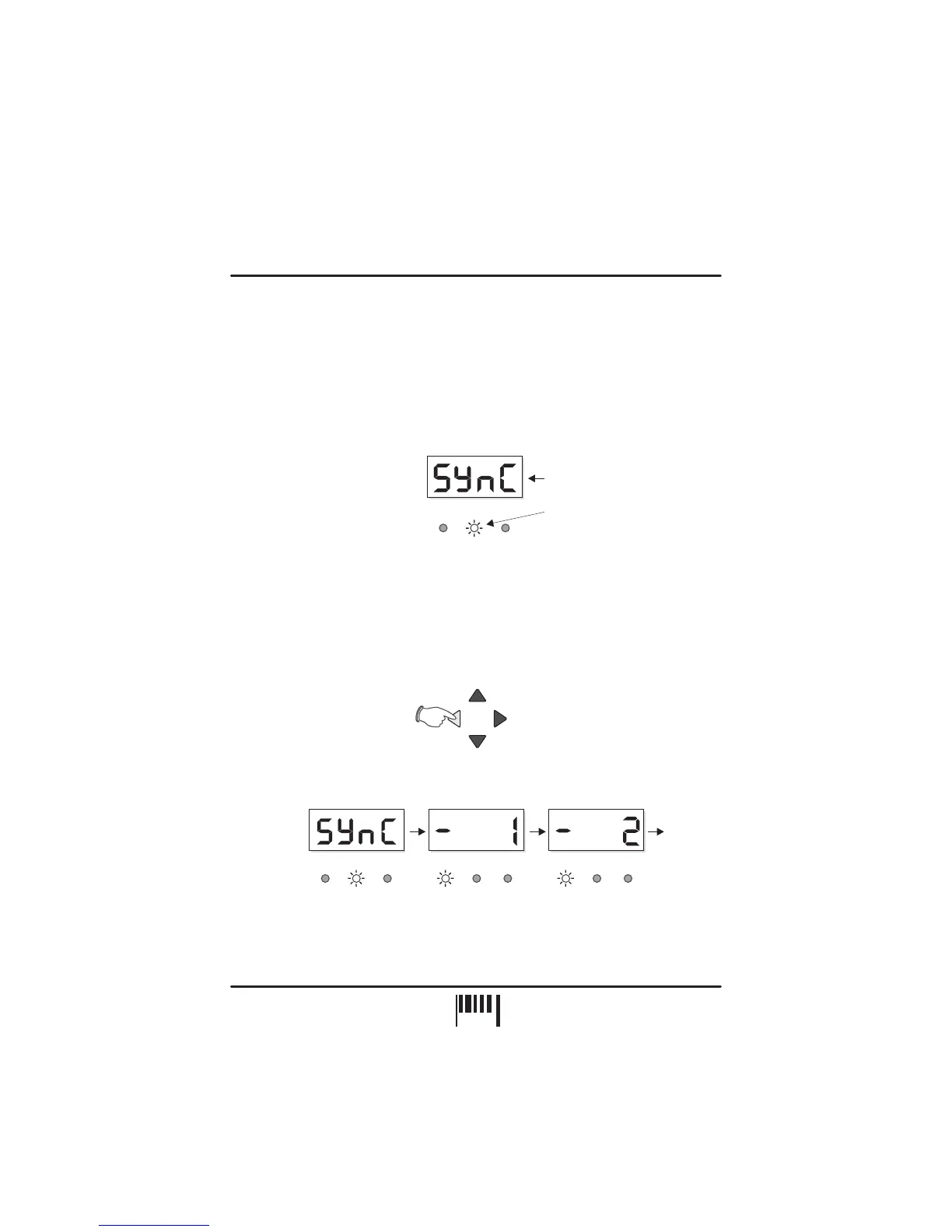
To check the current trigger synchronisation setting, press either the ‘PULL’ or PUSH’ button
once. The main BPM display and SYNC indicators will now show the current setting, as in the
following example:
After 4 seconds the BPM display and SYNC indicators will revert to their normal operation.
To adjust the trigger synchronisation setting, again press one of the buttons marked ‘PULL’ or
‘PUSH’ and then, during the 4 second display period, press either button again to change the
setting. Each half beat measure has 12 interim settings which allow very fine adjustments to
be made to the synchronisation.
To ‘Pull’ the MIDI clock backwards, press the left button
(PULL) during the 4 second display period.
The display reading will change for each press as follows:
After the ‘-11’ setting, the synchronisation will be pulled back exactly ½ beat, as indicated by
the following display:
NUDGE
PULL
BPM
-/DOWN
BPM
+/UP
PUSH
BPM
LGH / BAR POS
BPM BPM
LGH/BAR LGH/BARPOS POS
OK OK OKPULL PULL PULLPUSH PUSH PUSH
Etc. to -11
BPM
Example: Trigger point =
‘Synchronised’
Flashing ‘OK’ indicator
SYNC
OKPULL PUSH
OPERATION
PAGE
9


 To Next Page