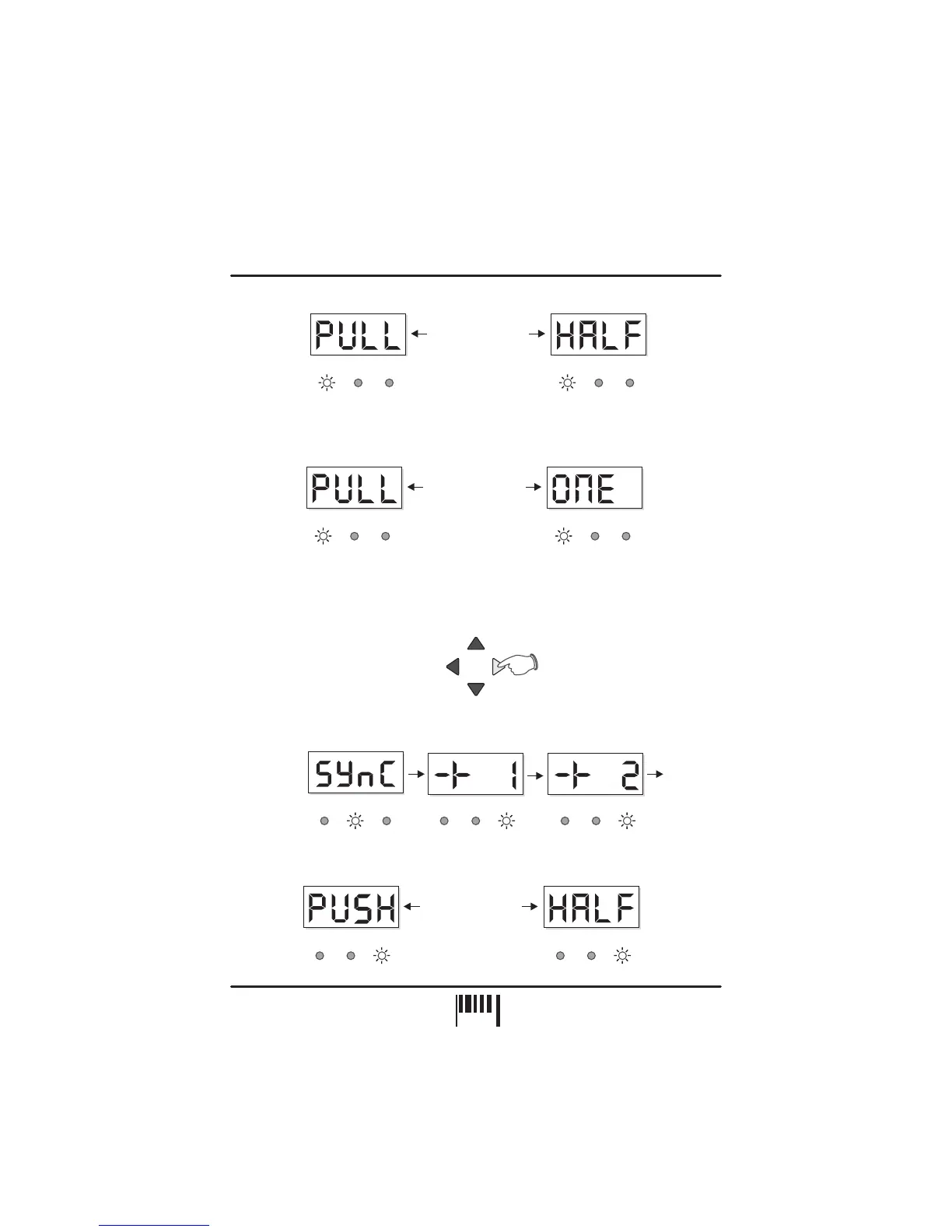
Further fine adjustments can be made beyond the ‘PULL ½ beat’ point (display reads from
‘-13’ down to ‘-23’) until the synchronisation is pulled back by one complete beat (maximum
PULL adjustment). For this setting the display will show the following:
To ‘Push’ the MIDI clock forwards, press the right button
(PUSH) during the 4 second display period.
The display reading will change for each press as follows:
NOTE: You can adjust the PULL/PUSH setting in complete ½ beat steps by pressing and
holding down either button for 1 second.
PUSH THE SYNCHRONISATION:
NUDGE
PULL
BPM
-/DOWN
BPM
+/UP
PUSH
BPM
LGH / BAR POS
OK OK OKPULL PULL PULLPUSH PUSH PUSH
Etc. to +11
BPM BPM
LGH/BAR LGH/BARPOS POS
BPMBPM
OKOK PULLPULL PUSHPUSH
Display alternates
between
LGH / BAR POS
LGH / BAR POS
BPMBPM
OKOK PULLPULL PUSHPUSH
Display alternates
between
LGH/BAR LGH/BARPOS POS
BPMBPM
OKOK PULLPULL PUSHPUSH
Display alternates
between
LGH/BAR LGH/BARPOS POS
After the ‘+11’ setting, the synchronisation will be pushed forwards exactly ½ beat, as indicated
by the following display:
OPERATION
10
PAGE


 To Next Page