43
8
< Auto Eco >
5
8
5
On
b
< Auto Eco >
On
8
< Auto Eco >
5
8
5
On
b
< Auto Eco >
On
8
< Auto Eco >
5
8
5
On
b
< Auto Eco >
On
8
< Auto Eco >
5
8
5
On
b
< Auto Eco >
On
8
< Auto Eco >
5
8
5
On
b
< Auto Eco >
On
8
< Auto Eco >
5
8
5
On
b
< Auto Eco >
On
8
< Auto Eco >
5
8
5
On
b
< Auto Eco >
On
8
< Auto Eco >
5
8
5
On
b
< Auto Eco >
On
8
< Auto Eco >
5
8
5
On
b
< Auto Eco >
On
12-MENU ENTRIES AND OPERATION
Technical Dept. - All rights reserved - Reproduction is prohibited
e - External thermostat
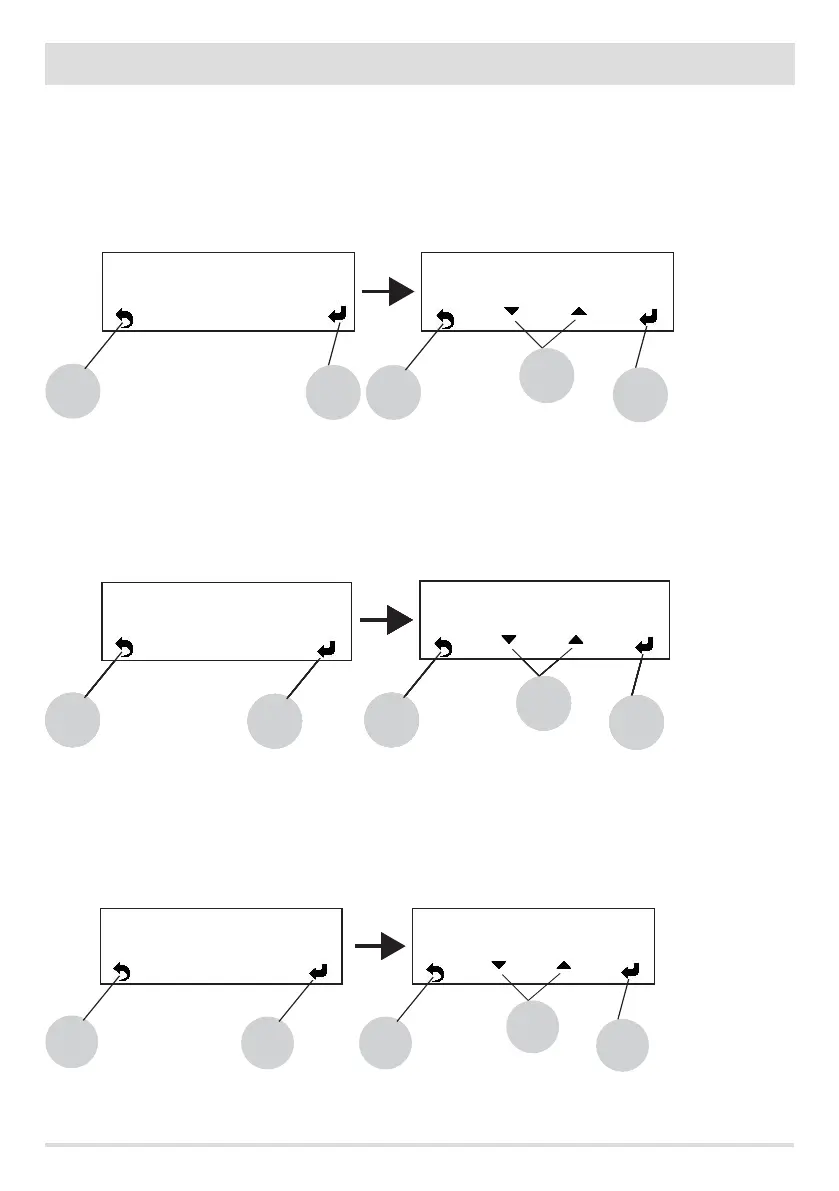
EXTERNAL THERMOSTAT (not included with the boiler, it must be provided by the user)
The temperature of the boiler can also be controlled by an external thermostat in the room. It should be positioned centrally in the room
where the boiler is installed. It provides a closer match between the heating temperature requested of the boiler and the actual room
temperature it provides.
Connect the wires of the external thermostat to points 1-2 of the terminal block on the boiler.
Once the thermostat has been connected it needs to be enabled.
Use key 5 to go to the settings menu and select the EXTERNAL THERMOSTAT option. Conrm with key 5 and then with keys “b” (arrows) you
can activate or deactivate the function. Key 5 is used to conrm, while key 8 is used to go back to the main screen.
f - Auto-Eco activation
If the Auto-Eco option is active (i.e. it is ON), the boiler turns o if there is no demand for heat. If the Auto-Eco function is not active (i.e. it
is OFF), the boiler sets itself to the minimum value if there is no demand for heat (i.e. in P1 power).
Use key 5 to go to the settings menu and select the Auto-Eco option. Conrm with key 5 and then with keys “b” (arrows) you can activate
or deactivate the function. Key 5 is used to conrm, while key 8 is used to go back to the main screen.
g - Eco Stop T
If Auto-Eco is active (ON), the “Eco Stop t” represents the time between the lack of demand and when the boiler actually turns o.
Use key 5 to go to the settings menu and select the Eco Stop t option. Conrm with key 5 and then with keys “b” (arrows), enter the
minutes for the shut-down. Key 5 is used to conrm, while key 8 is used to go back to the main screen.
8
< Ext.Thermostat >
8
5
O
b
< Ext.Thermostat >
O
5
8
< O Time Eco >
5 8
5
03’
b
< O Time Eco >


 To Next Page