12
Presets:
The unit has 20 preset memories which can store 10
DAB+ and 10 FM stations of your choice with one-
button recall operation. Please note that if you
decide to store a secondary level DAB+ station, there
is a possibility that this station will only be broadcast
periodically. This means that when you recall the
designated preset at some time in the future, using
the number pad on the remote control, it may no
longer have any program or music content. It will
then be necessary to retune to an alternative station
and save it to that memory.
To store a station or frequency to a preset memory
location number:
1. Tune the unit to the station required using either
the remote control or the |<< or >>| buttons on the
front panel.
2. Decide which preset number you want to store this
station on.
3. Hold down this preset button on the remote control
for a few seconds.
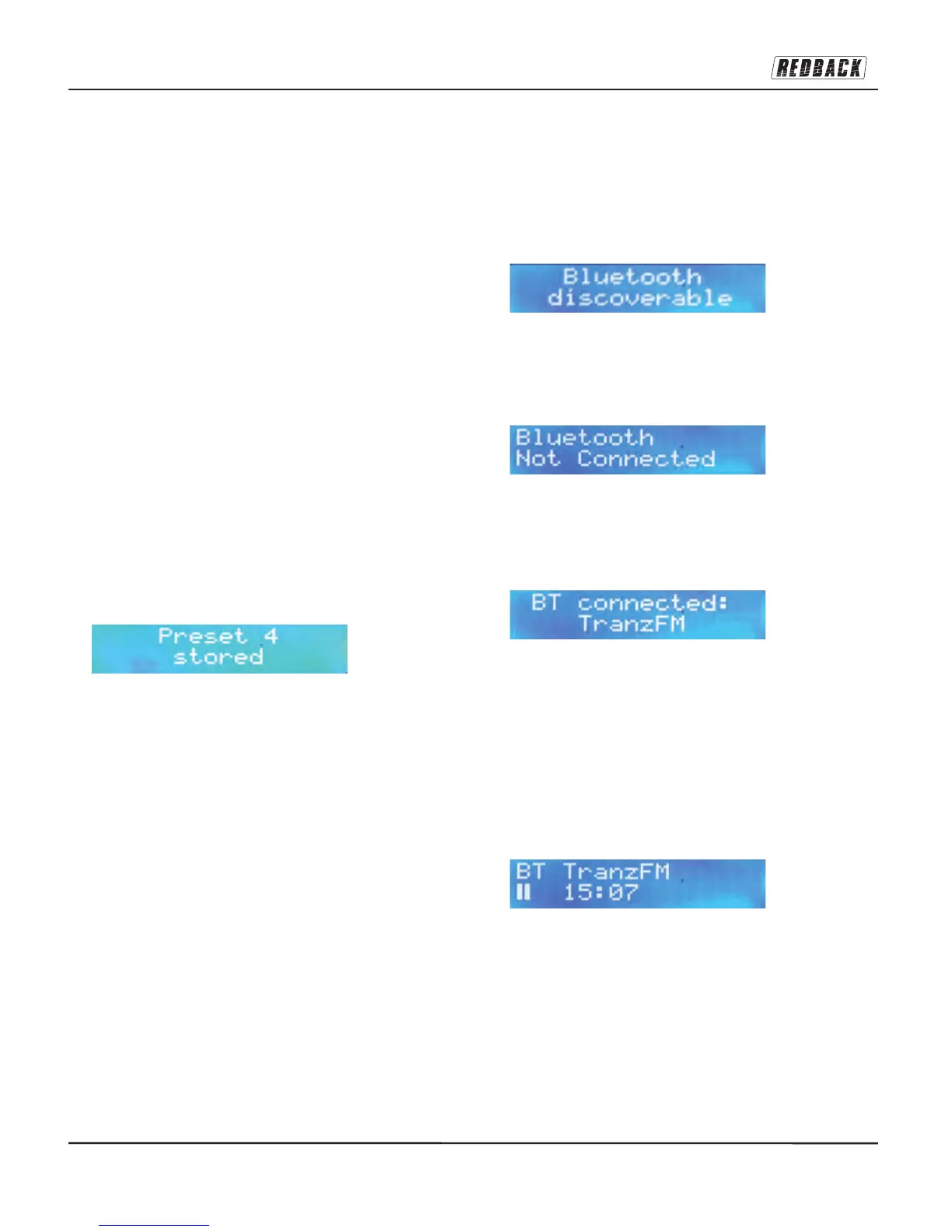
4. LCD display will read 'Preset X Stored', where 'X'
is the number you pressed.
If a preset does not have a station allocated to it, the
LCD will read 'Preset Empty' when this number
button is pressed.
To replace a preset memory and save another station
to that location, simply repeat the steps above for
that number, and the old station will be replaced with
the new one.
To clear presets entirely, simply perform a factory
reset – see Menu section.
Bluetooth Operation:
Select the Bluetooth mode using the MODE button
on the front panel or the remote control. Or you can
enter Bluetooth mode directly by pressing the BT
button instead. The MODE button is also used to
leave Bluetooth mode and return to DAB or FM
mode.
This first message indicates that the Bluetooth mode
is operating and the BT module built into the tuner is
activated and become discoverable to any
compatible Bluetooth-enabled device located in the
vicinity of the A2698A.
This LCD message indicates that the Bluetooth mode
is operating but no devices are connected or paired
with the A2698A. The A2698A Bluetooth remains
discoverable and ready to pair while this message is
displayed on screen.
This message indicates that a handheld device is
pairing with the A2698. If a phone or tablet or similar
handheld device is also switched into Bluetooth
mode, the handheld device will search for
discoverable Bluetooth signals nearby and load their
identity onto the found devices list. From this list,
select ‘A2698A’ and the two devices should
commence pairing. The pairing process should not
take more than 30 seconds and ‘BT ___ Connected’
message will display and the pairing takes place.
As soon as a device and the A2698A are paired, the
A2698A LCD will show the name of the BT paired
device on line one (e.g. ‘BT John’s Mobile’) and ‘||
0:00’ on line two. Select songs from the paired
device’s stored music playlist, or streaming audio
(radio) or video apps, and commence playback from
whichever source is chosen. The audio will play
through the speakers and the amplifier into which the
A2698A is connected. The ‘||’ icon will change to ‘>’
and the track time will begin to advance as the track
is played.


 To Next Page
 Loading...