INSTRUCTION FOR USE
Attention!
When the hot-plate smokes a er the rst switching it on it is necessary to leave the device on at least for an
hout until the smoke disappears.
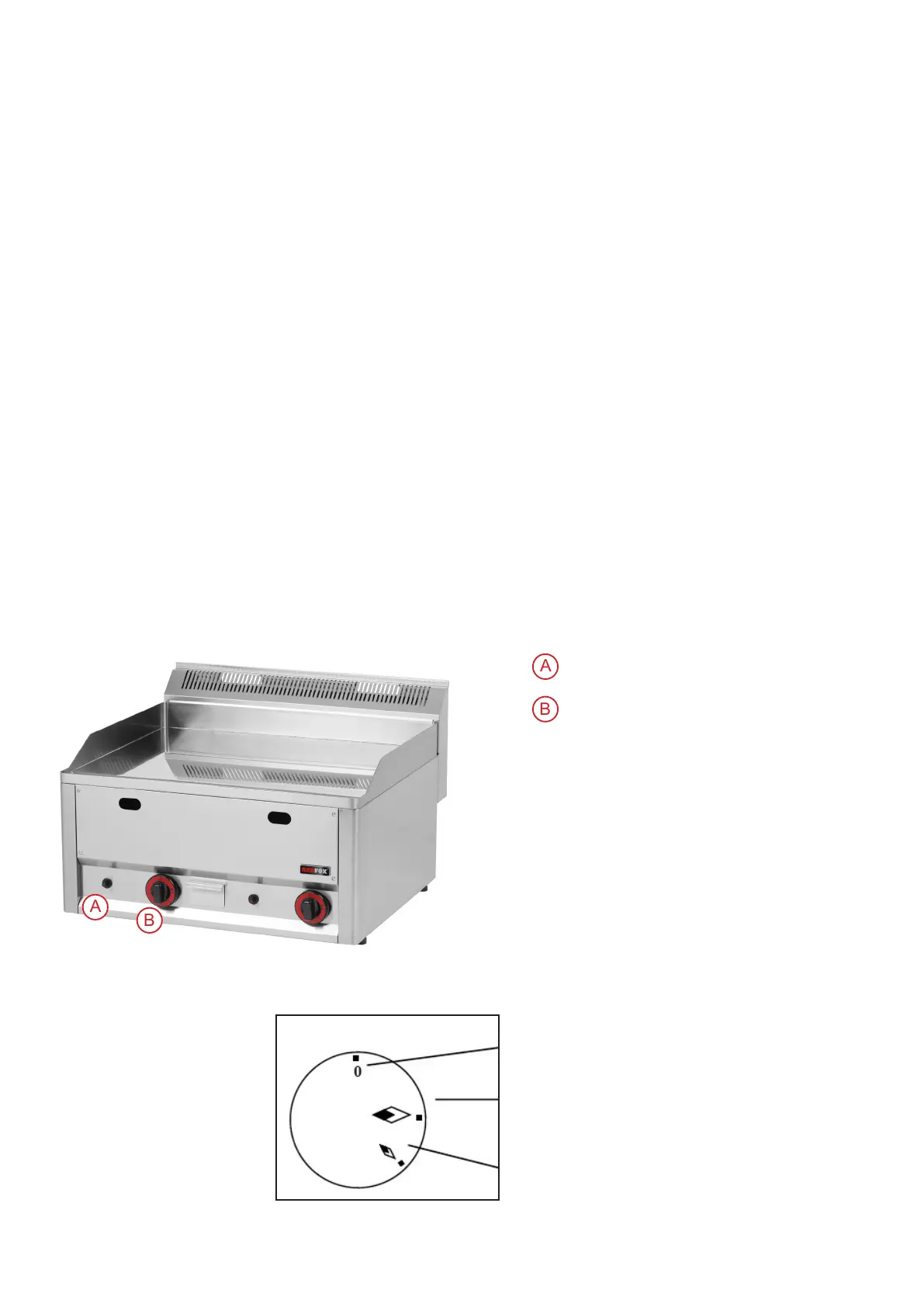
- Ignition of the main burner and regulation of the temperature: pictures A, B
Turn the regulation knob (2) into position „ignition of the main burner“ and then press it down and hold it.
Press down the piezzo knob of the ignitor several times (1) until the main burner burns. e falme is visible
through the slot in the front panel. A er ignition of the burner hold the knob (2) pressed several seconds till
the thermofuse gets hot. en release the button. If the ame goes out repeat the whole process once more.
- Lower performance sporo: picture A,B
By turning the knob (2) into position „sporo“ you set the burning of the burner for sporo (lower performan-
ce).
- How to switch the whole device off : picture A,B
Turn the knob (2) into position “0“.
Bowl for super uous oil
Check this bowl regularly and empty it in time. You must clean the bowl a er each switching the device off .
ATTENTION! THIS BOWL CAN BE HOT WHEN THE DEVICE IS ON. EMPTY IT WHEN THE DEVICE
IS COLD.
Switch off
Switch on the main burner
Sporo (lower performance)
Piezzo knob
Regulation knob
54


 To Next Page