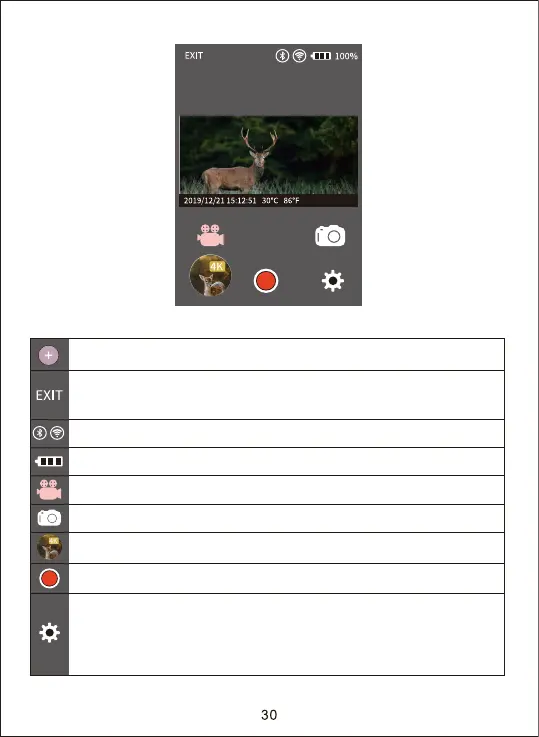
1. In APP interface the icon funtions as below.
The connection between camera and mobile phone
The display of signal strength indicator
Camera battery level display
Switch to Video mode
Camera System setting function
Notice: This setting function is synchronized with the camera
system setting function. It realizes through the way of
wireless.
Review pictures or videos in the camera
Take video and photos by APP and saved in the camera
Switch to Taking photo mode
Turn off the APP, the mobile phone will disconnect with the camera
and the camera enters into SETUP mode or ON mode.
4K WIFI CAM


 To Next Page