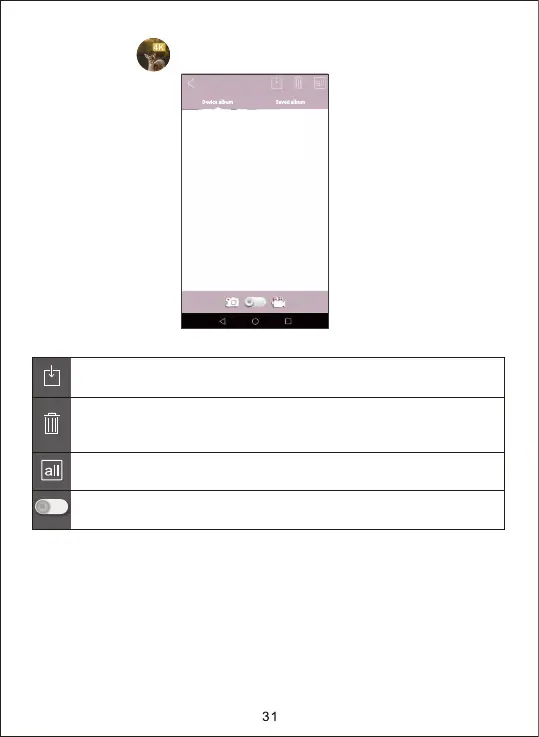
2. Click the icon to enter the pictures review as shown below diagram.
Select the picture or video to download, and press the button
to save files to mobile phone.
Select all the files.
Toggle Switch, the switch between picture and video.
Press this icon to delete the selected the pictures or videos. After
the pictures or videos are deleted, the files could not be recovered,
please use caution.


 To Next Page