Inside US: +1 (877) 432-9908 Bulletin No. DA10D-A
Outside US: +1 (717) 767-6511 Drawing No. LP1077
www.redlion.net Effective 2018-11-02
-1-
ModelD A10D‐ProtocolCon verterandDataAcquisitionSystem
• CONFIGURED USING CRIMSON
®
3.1 SOFTWARE
• TWO SERIAL COMMUNICATION PORTS,
(1 RS-232 and 1 RS-232/422/485)
• 10 BASE T/100 BASE-TX ETHERNET PORT COMMUNICATES
WITH UP TO FOUR PROTOCOLS SIMULTANEOUSLY
• UNIT’S CONFIGURATION IS STORED IN NON-VOLATILE FLASH
MEMORY
• SD CARD SOCKET FOR LOADING DATABASE IN FIELD
• RUGGED IP40-RATED ENCLOSURE
• THREE FRONT FACE LED INDICATORS
• SUPPORTS OVER 300 INDUSTRIAL PROTOCOLS
• POWER UNIT FROM 24 ±20% VDC
C
US LISTED
U
L
R
IND. CONT. EQ.
GENERALDESCRIPTION
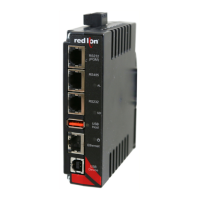
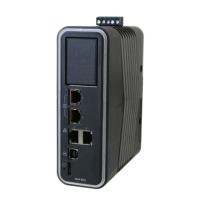
The DA10D data station performs the functions of a multiple protocol
converter, using two high-speed serial communications ports and a 10/
100 Base-TX Ethernet port. The Ethernet port supports up to four
protocols simultaneously, allowing dissimilar Ethernet based products to
communicate with one another, including PLCs, motor drives, bar code
scanners, etc. The SD card slot can be used to load the unit's
configuration file, allowing configuration changes to be made and saved
to the card for later transfer.
The DAx0D is programmed with Red Lion's Crimson 3.1 software.
Crimson offers easy to use drag and drop communications configuration
and is available as a no charge download from Red Lion's website.
DIMENSIONSIninches(mm)
SAFETYSUMMARY
All safety related regulations, local codes and instructions that appear
in the manual or on equipment must be observed to ensure personal
safety and to prevent damage to either the instrument or equipment
connected to it. If equipment is used in a manner not specified by the
manufacturer, the protection provided by the equipment may be
impaired.
Do not use the unit to directly command motors, valves, or other
actuators not equipped with safeguards. To do so can be potentially
harmful to persons or equipment in the event of a fault to the unit.
CONTENTSOFPACKAGE
- DA10D
- Terminal block for connecting power
ORDERINGINFORMATION
1
Contact your Red Lion distributor or visit our website for selection of SD
cards,
adapters and cables.
3.99 (101.4)
5.03
(127.7)
1.25 (31.8)
MODEL NO. DESCRIPTION PART NUMBER
DA10D
Protocol Converter with 2 Serial Ports,
1 Ethernet Port, and USB Device Port
DA10D 0C 000000 000
SD
SD Card
1
SDxxxxxx
CBL
Communications Cables and Adapter
1
CBLxxxxx
CRA000 Replacement Battery CRA000 BT3V0 00000
WARNING - EXPLOSION HAZARD - DO NOT D
EQUIPMENT UNLESS POWER HAS BEEN SW
OR AREA IS KNOWN TO BE NON-HAZARDOU
CAUTION: Risk of Danger.
Read complete instructions prior to installation
and operation of the unit.

 Need help?
 General

 To Next Page