EasyManua.ls Logo

Redlion DA30D - User Manual

Redlion DA30D
8 pages
Print Icon
To Next Page IconTo Next Page
Loading...
Inside US: +1 (877) 432-9908 Bulletin No. DA30D-A
Outside US: +1 (717) 767-6511 Drawing No. LP1078
www.redlion.net Effective 2018-11-02
-1-
ModelD A30D‐HighPerformanceProtocolConverterandDataAcquisition
System
CONFIGURED USING CRIMSON
®
3.1 SOFTWARE
THREE SERIAL COMMUNICATION PORTS,
(2 RS-232 and 1 RS-422/485)
A 10 BASE T/100 BASE-TX ETHERNET PORT COMMUNICATES
WITH UP TO TEN PROTOCOLS SIMULTANEOUSLY
ACCEPTS ONE EXPANSION COMMUNICATION MODULE TO ADD
CANOPEN, J1939, PROFIBUS, DEVICENET AND MORE
ONE USB DEVICE PORT TO LOAD THE UNIT’S CONFIGURATION
OR TRANSFER DATA TO AND FROM A PC
SD CARD SOCKET FOR DATA LOGGING AND LOADING DATABASE
IN FIELD
RUGGED IP40-RATED ENCLOSURE
THREE FRONT FACE LED INDICATORS
POWER UNIT FROM 10-30 VDC SUPPLY
SUPPORTS OVER 300 INDUSTRIAL PROTOCOLS
BUILT-IN WEB SERVER FOR REMOTE ACCESS
REAL-TIME DATA LOGGING
ALARM NOTIFICATIONS VIA EMAIL OR SMS MESSAGES
FOR USE IN HAZARDOUS LOCATIONS:
Class I, Division 2, Groups A, B, C, and D
C
US
U
L
R
LISTED
IND.CONT. EQ.
E317425
GENERALDESCRIPTION
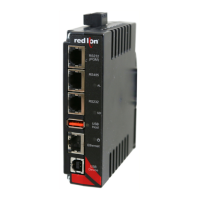
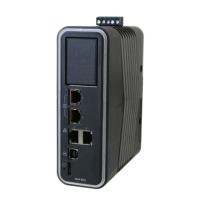
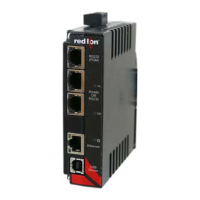
The DA30D data station acts as a nexus for industrial data collection
and management. The unit offers multiple protocol conversion, data
logging and remote machine access. With three built in serial ports and a
10 Base-T/100 Base-TX Ethernet port, the unit performs protocol
conversion, allowing disparate devices to communicate seamlessly with
one another including PLCs, motor drives, bar code scanners, etc. The
Ethernet port supports up to ten protocols simultaneously using Crimson
3.1, so even Ethernet to Ethernet protocols can be converted.
The SD card slot can collect your trending and datalogging information
as well as load the unit's configuration file, allowing configuration
changes to be made and saved to the card for later transfer.
The built-in web server allows log files to be retrieved manually, and
also provides access to the unique “virtual HMI”. The virtual HMI is
programmed just like Red Lion’s CR3000 series of HMIs. Any standard
web browser may be used to monitor or control the DA30D from a PC
anywhere in the world.
The DAx0D is programmed with Red Lion's Crimson 3.1 software.
Crimson offers easy to use drag and drop communications configuration
and is available as a no charge download from Red Lion's website.
DIMENSIONSIninches(mm)
SAFETYSUMMARY
All safety related regulations, local codes and instructions that appear
in the manual or on equipment must be observed to ensure personal
safety and to prevent damage to either the instrument or equipment
connected to it. If equipment is used in a manner not specified by the
manufacturer, the protection provided by the equipment may be
impaired.
Do not use the unit to directly command motors, valves, or other
actuators not equipped with safeguards. To do so can be potentially
harmful to persons or equipment in the event of a fault to the unit.
CONTENTSOFPACKAGE
- DA30D
- Terminal block for connecting power
ORDERINGINFORMATION
1
Contact your Red Lion distributor or visit our website for selection of expansion
modules, SD
cards, adapters and cables.
5.03
(127.7)
3.99 (101.4) 1.31 (33.3)
MODEL NO. DESCRIPTION PART NUMBER
DA30D
Protocol Converter with 3 Serial Ports,
1 Ethernet Port, and USB Device Port
DA30D 0F 000000 000
CRM000
Expansion Modules
1
CRM0000 xxxxx xxxxx
SD
SD Card
1
SDxxxxxx
CBL
Communications Cables and Adapter
1
CBLxxxxx
CRA000 Replacement Battery CRA000 BT3V0 00000
WARNING - EXPLOSION HAZARD - DO NOT D
EQUIPMENT UNLESS POWER HAS BEEN SW
OR AREA IS KNOWN TO BE NON-HAZARDOU
CAUTION: Risk of Danger.
Read complete instructions prior to installation
and operation of the unit.
WARNING - EXPLOSION HAZARD - DO NOT DISCONNECT
EQUIPMENT UNLESS POWER HAS BEEN SWITCHED OFF
OR AREA IS KNOWN TO BE NON-HAZARDOUS.
WARNING - EXPLOSION HAZARD - DO NOT DISCONNECT
EQUIPMENT UNLESS POWER HAS BEEN SWITCHED OFF
OR AREA IS KNOWN TO BE NON-HAZARDOUS.
WARNING - EXPLOSION HAZARD - SUBSTITUTION OF
COMPONENTS MAY IMPAIR SUITABILITY FOR CLASS I,
DIVISION 2.
Question and Answer IconNeed help?

Do you have a question about the Redlion DA30D and is the answer not in the manual?

Summary

General Description and Features

Safety Summary

Package Contents and Ordering Information

Specifications

Power Requirements

Details on input voltage, typical and maximum power consumption for the DA30D.

Battery Specifications

Information on the lithium coin cell, its lifetime, and UL rating requirements.

Memory and Storage

On-board memory capacity and SD card slot details for storage and data logging.

Communication Capabilities

Details on USB device/host ports, serial ports, and Ethernet port functionality.

Environmental Conditions

Operating and storage temperature, vibration, shock, humidity, and altitude ratings.

Certifications and Compliances

List of approvals and standards met by the DA30D unit.

Connections and Construction

Details on terminal block connections, wire gauge, and enclosure material.

Mounting Requirements

Guidance on DIN rail mounting and clearance for proper installation.

Installing and Powering the DA30 D

Mounting Instructions

Instructions for mounting the unit horizontally on a DIN rail with proper clearance.

Power and Grounding Connections

Connecting Power

Guidelines for connecting the 10-30 VDC power supply, including wire gauge and cable length.

Connecting to Earth Ground

Instructions for connecting the unit to chassis ground for safety and static charge prevention.

Module Installation

EMC Installation Guidelines

Communicating with the DA30 D

Configuring a DA30 D

Overview of configuring the DA30D using Crimson 3.1 software via various ports.

SD Card Insertion;Removal

Instructions on how to insert and remove the SD card from the DA30D unit.

Cables and Drivers

Information on Red Lion cables, drivers, and obtaining wiring information.

Ethernet Communications

Details on Ethernet port speed, auto-detection, and LED status indicators.

RS232 Ports

Description of the two RS232 ports, their uses, and pinout diagrams for PC connection.

RS422;485 and DH485 Communications

RS422;485 Comms Port

Details on using the RS485 port for RS485 or RS422 communication with wiring examples.

DH485 Communications

Information on using the RS422/485 port for Allen Bradley DH485 communications.

Software and Unit Operation

Crimson 3.1 Software

Overview of Crimson 3.1 software availability and usage for configuration.

Status LEDs

Explanation of the default system status indicated by the unit's LEDs.

Factory Reset Button

Guidance on using the factory reset button to access the system console.

Troubleshooting Your DAxOD

Battery and Time Keeping

Changing the Battery

Step-by-step instructions for replacing the unit's internal battery.

Trademark Acknowledgments and Limited Warranty

Limited Warranty

Details on the product warranty, exclusions, and customer remedies.

Redlion DA30D Specifications

General IconGeneral
ModelDA30D
ManufacturerRedlion
TypeMedia Converter
MountingDIN Rail
Fiber TypeMultimode
Wavelength1310 nm
Connector TypeST
Power SupplyExternal