07
Function Overview
Note: Once the weather is cold outdoors and
your hands become dry, the earbuds may not
function when touching them.
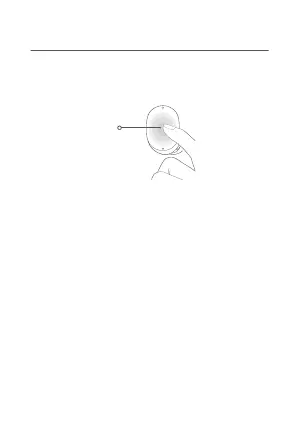
Multi-function
Touch Area
During calls
Double-tap: Answer a call
Triple-tap: Decline or end a call
Music
Double-tap: Pause or play
Triple-tap: Play next track
Take out either earbud: Pause music/Wear the
earbud back within 120 seconds to resume
playing
Noise cancellation mode/Transparency mode
When wearing both earbuds, press and hold
either earbud to switch between: Noise
cancellation mode <> Transparency mode


 To Next Page