Start and stop the sound
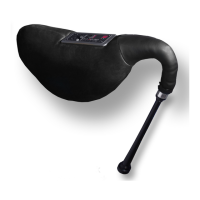
Press the bag and the redpipe starts playing. The drones start first and the green LED lights up. Press the bag stronger
and the chanter starts to play. The green LED flickers a bit. How much pressure you have to apply can be tuned by
yourself. Press the bag. If you feel comfortable with the level of pressure, press KEY for three seconds. The green LED
will light up for a second and the redpipe is tuned. To store this setting, reduce the the pressure until there is no more
sound. The setting will be kept if you change batteries.
Continuous Playing Mode:
If you do not want to press the bag permanently while playing you can switch on the continuous playing mode.
To activate this mode press DRONES and KEY simultaneously while switching on the redpipe.
For starting the redpipe put the right hand on the chanter and press the bag until the drones
come up. To add the chanter put the left hand on the chanter. Press once again and the sound stops.
To stop the continuous playing mode press DRONES and MET simultaneously while switching on your redpipe.


 To Next Page