EasyManua.ls Logo

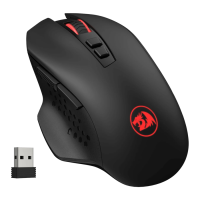
REDRAGON M910-K RANGER BASIC - Software and Troubleshooting; Software Instructions; FAQ

REDRAGON M910-K RANGER BASIC
6 pages
Print Icon
To Next Page IconTo Next Page
To Previous Page IconTo Previous Page
Loading...
Software
Instructions
User
can
adjust
the
following
settings
through
the
software
after
downloading
and
installing
it.
1.
Adjust
the
DPI
of
the
mouse
at
the
user's
discretion.
(range:
500-8000
DPI)
2.
Adjust
the
polling
rate
of
the
mouse
at
the
user's
discretion.
(range:
125-250-500-
1000Hz).
3.
Macros:
Record
up
to
59
actions
and
trigger
with
one
key.
4.
Continuous
keystroke
function:
Set
the
number
of
clicks
and
delay
time.
5.
Lighting:
Adjust
mouse
lighting
options.
6.
Customize
9
mouse
buttons.
7.
Set
5
different
user
modes
and
switch
between
them
with
the
button
on
the
bottom
of
the
mouse.
FAQ
1.1f
the
mouse
is
not
responding,
please
check
whether
the
mouse
is
plugged
correctly
in
the
corresponding
computers
USB
port,
or
try
another
USB
ports.
2.If
the
mouse
is
moving
slowly,
jumping
or
with
delay,
please
try
another
surface.
Dark,
dirty,
un-flat,
bright
surfaces
may
affect
the
performance
of
mouse.
Mouse
pad
strongly
recommended.
GO,
QUALITY
ASSURED

Related product manuals