REDSAIL TECH CO., LTD
Add: B218/F2, Qilu Software Plaza No.1 Shunhua Road, Jinan Hi-tech Zone, Shandong, China ZIP: 250101
Tel: +86-531-86516855/56/57 Fax: +86-531-86516858
Email: info@cutmate.net
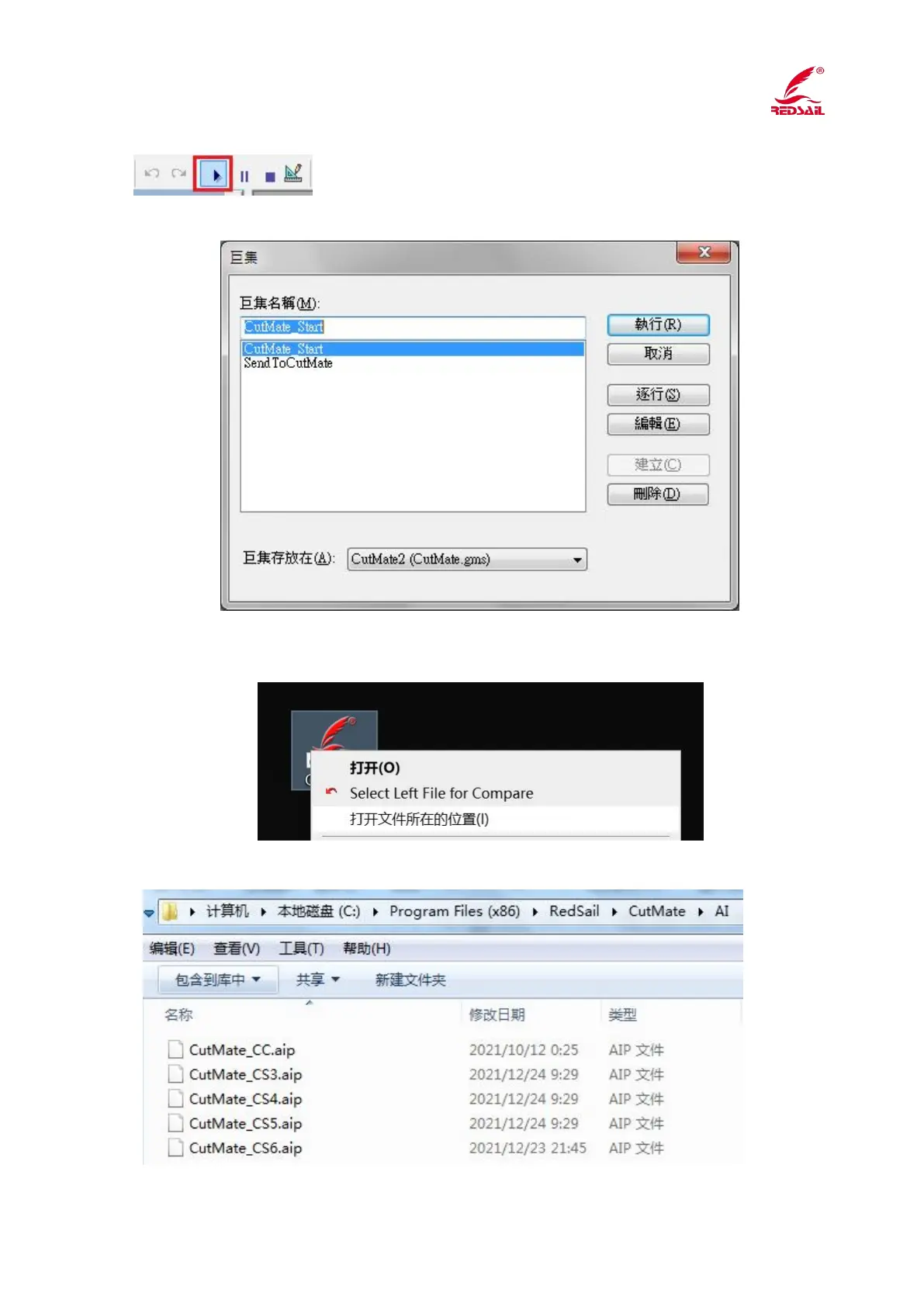
Click the Run button on the taskbar
Click Execute and the plugin will appear in the toolbar.
11. Install the Illustrator plugin
Right-click the CutMate on the computer desktop and select <open file location>
Open the <AI> folder in the directory



 To Next Page