Need help?
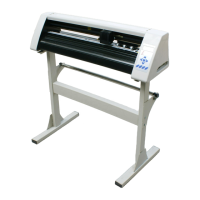
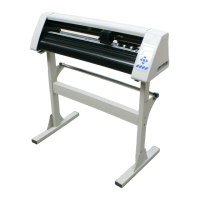
Do you have a question about the Redsail RS720C and is the answer not in the manual?
Steps to create a user account for the Cutmate software.
How to activate the 30-day free trial period for Cutmate.
Instructions for downloading and initiating the Cutmate installation.
Process for logging into Cutmate using registered credentials and validation code.
Inputting personal and company details during software setup.
Choosing the directory where Cutmate software will be installed.
Choosing which components of Cutmate to install, including plugins.
Clicking the 'Install' button to begin the software installation.
Step-by-step guide for installing the Cutmate plugin for CorelDraw.
Instructions for installing the Cutmate plugin for Adobe Illustrator.
How to log in to the Cutmate software after installation.
Configuring software preferences and settings for optimal use.
Steps to connect the Redsail cutting plotter to the computer.
How to send designs and start the cutting process with the plotter.
Changing the display language within the Cutmate software.
Supported file formats that can be opened and used in Cutmate.
Instructions for saving designs from Cutmate in SVG format.
Using tools like remove, scale, rotate, outline, and flip for objects.
 General
| Model | RS720C |
|---|---|
| Category | Plotter |
| Max Cutting Width | 630 mm |
| Max Media Width | 720 mm |
| Cutting Force | 10-500g |
| Motor Type | Stepper Motor |
| Blade Force | 10-500g |
| Interface | USB |
| Software Compatibility | Artcut |
| Repeat Accuracy | 0.1 mm |
| Power Supply | 50/60Hz |


 To Next Page