REDSAIL TECH CO., LTD
Add: B218/F2, Qilu Software Plaza No.1 Shunhua Road, Jinan Hi-tech Zone, Shandong, China ZIP: 250101
Tel: +86-531-86516855/56/57 Fax: +86-531-86516858
Email: info@cutmate.net
You need to install Inkscape version 1.0 or higher
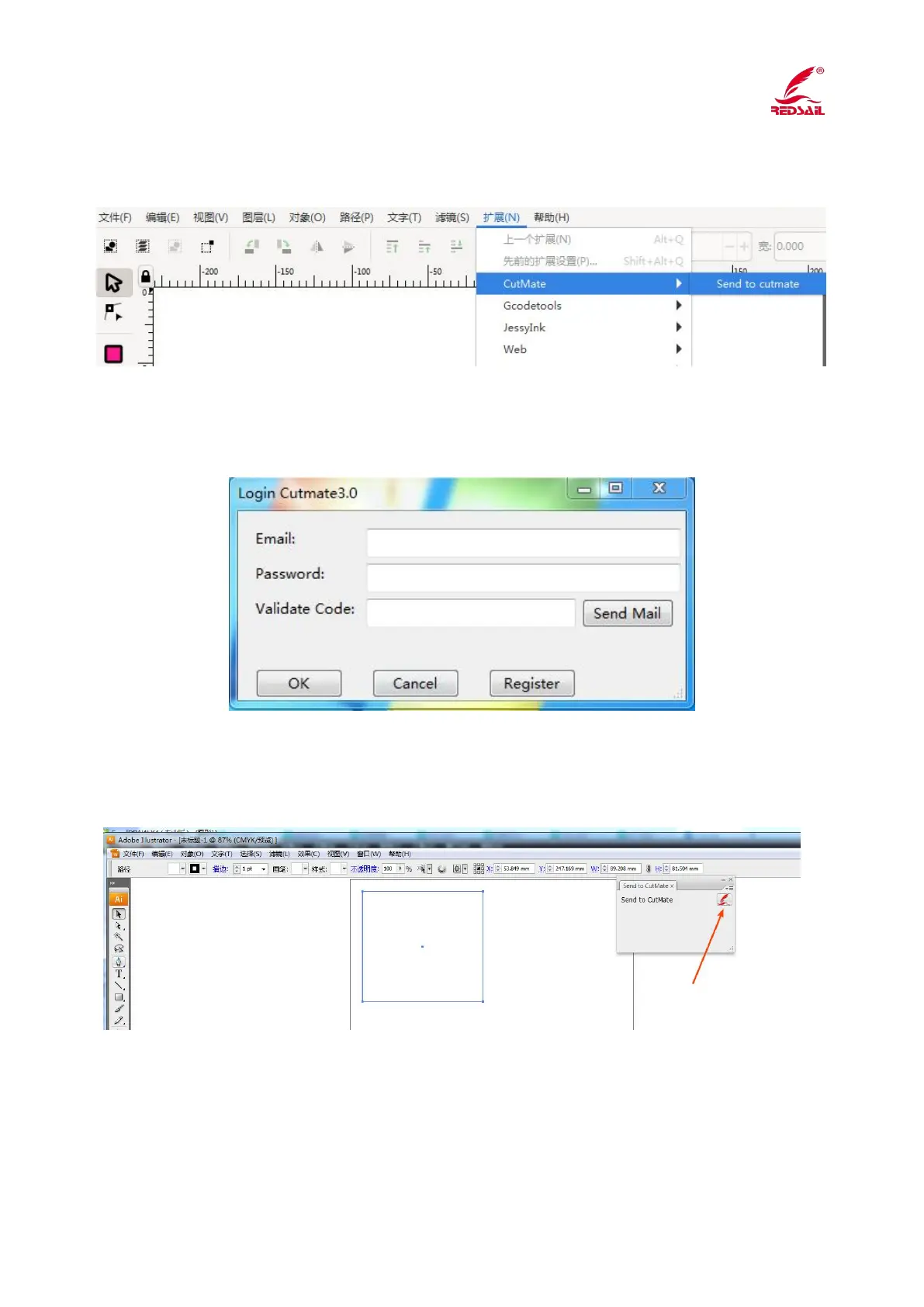
Open your Inkscape, you can send your creation to cutmate at Extensions->CutMate->Send
to cutmate.
13. Cutmate Software Login
Open the software, enter the registered email, password, and the verification code sent by the
mail.
14. Setting for the Cutmate
1) Software setting
Design the graphics in Illustrator and CorelDraw, click the cutmate icon, then click OK.



 To Next Page