13
Setting Up Your Camera
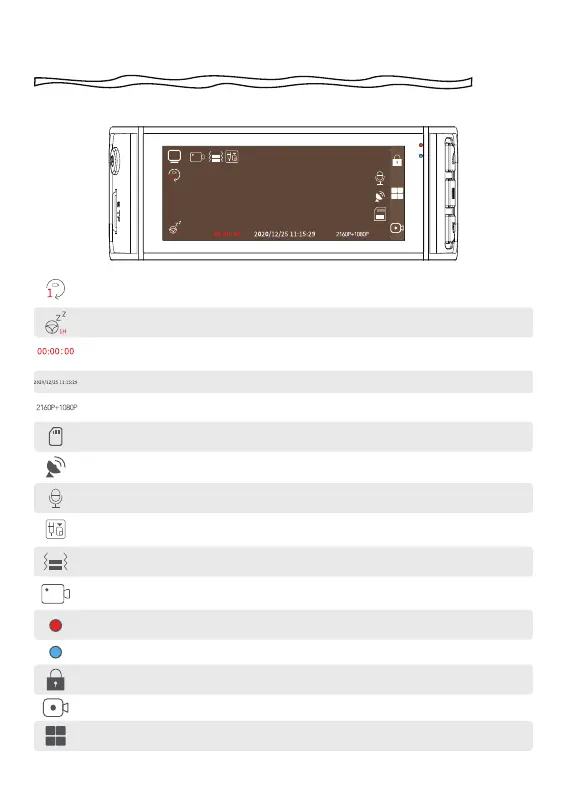
Generates in 1 min/3 mins/5 mins per file
Display recording resolution
Indicates that the rear camera is connected
Displays the recording status and recording time.
Display GPS status
Show video recording mode
Power on
Photograph function
Red led blinking: Recording Video/No Red led:Not Recording Video
Emergency Video Lock
Enter the menu
Display when fatigue driving function is on
Show MicroSD card status
G-Sensor sensitivity display
Display the date and time of the machine
Display voice recording status



 To Next Page