05
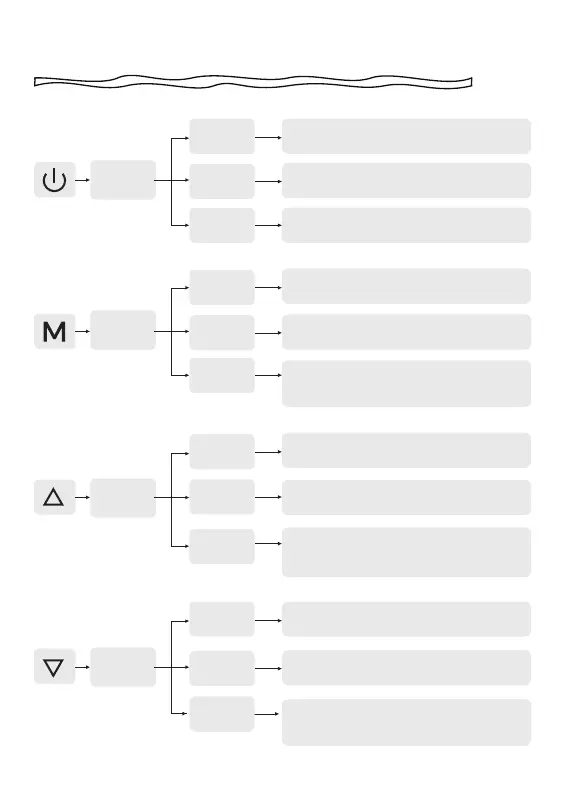
Button Function
POWER
BUTTON
MENU
BUTTON
UP
BUTTON
DOWN
BUTTON
Recording
Mode
Recording
Mode
Recording
Mode
Recording
Mode
Setup
Mode
Setup
Mode
Setup
Mode
Setup
Mode
Playback
mode
Playback
mode
Playback
mode
Playback
mode
Short press-to Switch screen
Long press-to Turn off The Camera
Short press-to Enter main menu
Short press-to Lock the recording file
Long press-to Turn on or off WiFi
Short press-to Take a snapshot
Long press-to Stop recording
Short press-to Return to the previous
screen
Short press-to Enter/Confirm specific
settings
Short press-to Select the previous
function
Short press-to Select the next function
Short press-to Return to the previous
screen
Short press-to Select and play the
specific file. Long press-to Delete/Lock/
Unlock the specific file
Short press-to Select the previous file
Short press-to Fast rewind while Video
is being Played
Short press-to Select the next file. Short
press-to Fast forward while video is
being played



 To Next Page