27
Customizing Your T700
Playback Mode
When you turn on the power, the dash cam will start recording
automatically. Please press the icon to pause the recording first.
Click to enter the playback mode.
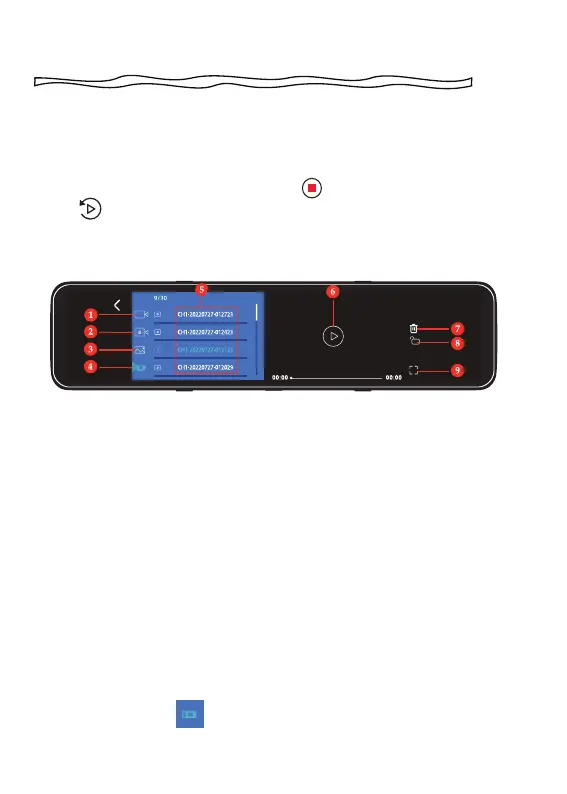
Playback menu
CAUTION
The front-view video and the rear-view video are displayed in
different file lists.
You need to click to switch between the front-view video list
and the rear-view video list.
1. Loop recording files
2. Locked video files
3. Snapshot files
4. Switch the front-view or
rear-view video file list
5. List of video files
6. Play/Pause
7. Delete specified file
8. Lock/Unlock specified file
9. View videos on fullscreen



 To Next Page