14
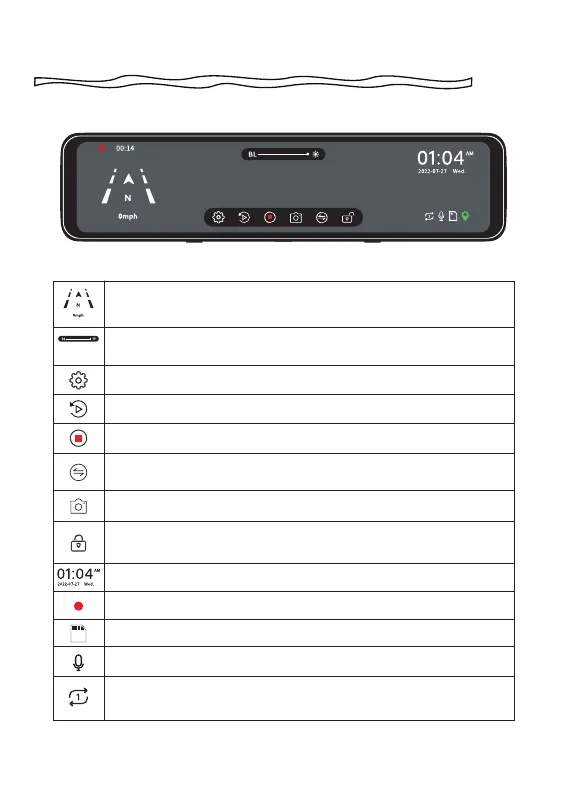
Speed & Driving Direction: Once GPS is connected, the
information will show
Screen Brightness Adjustment: Slide the bar left and right to
adjust the screen brightness
Settings: Touch to enter the menu setting
File Playback: Playback the video & Photo
Start/ Stop Recording
Front / Rear View Switch: Switch between front view & rear
view
Snapshot: Take a Snapshot
Emergency Lock: Lock videos as event files so it won't be
overwritten by loop recording
Date & Time
Recording Status: Yellow flashing means Lock Recording
Show SD card status
Audio Record is on
Loop Time
:
Adjust the loop recording duration
(1Min/2Min/3Min)
Setting Up Your Camera



 To Next Page