HIDEAWAY
ACTIVE SENSOR-FLUSH URINAL
Plumbers, please ensure a copy of the installation
instructions is left with the end user for future reference
HIDEAWAY
ACTIVE SENSOR-FLUSH URINAL
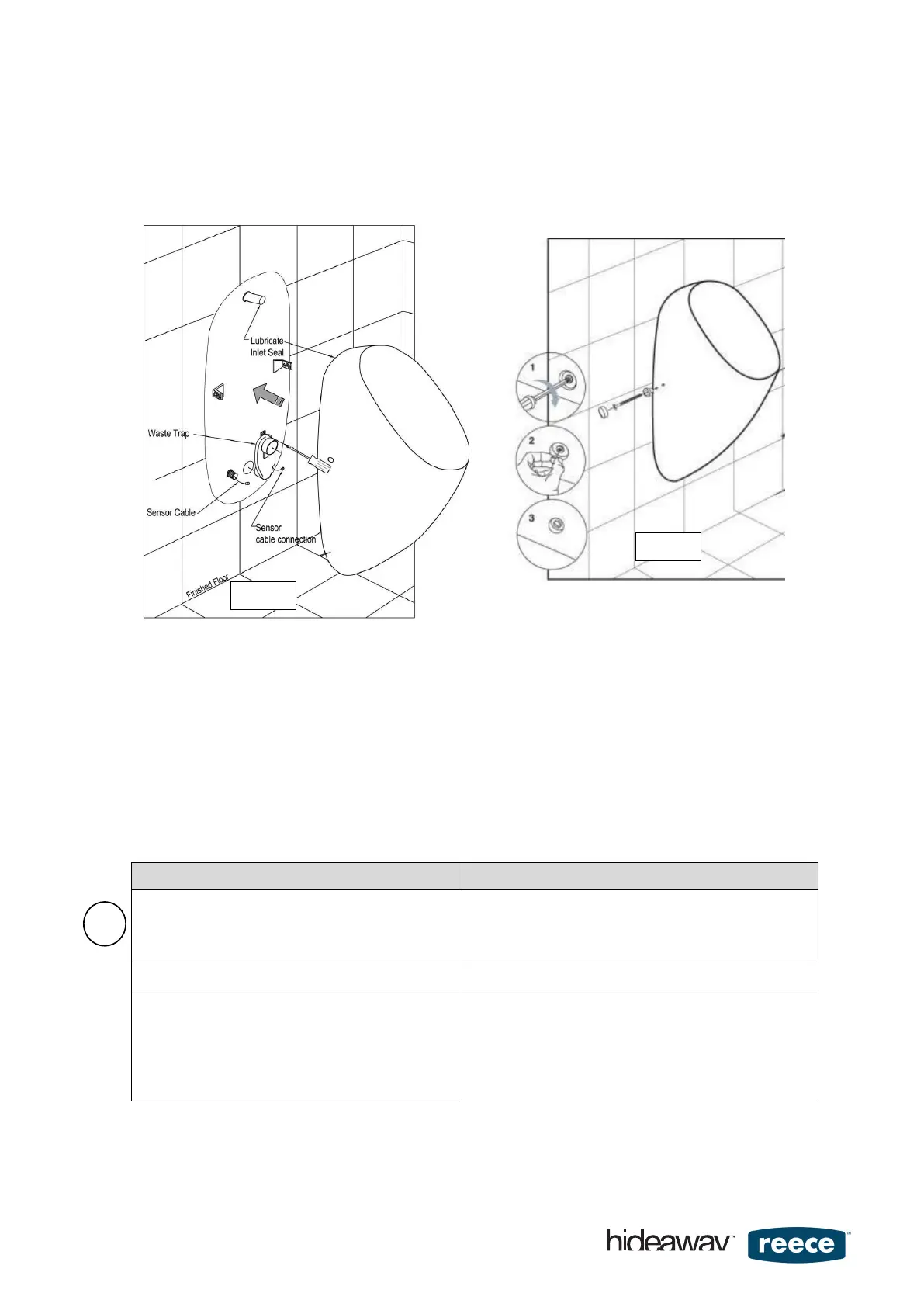
Important! Do not seal the urinal to the wall yet.
Urinal should only be sealed once
urinal has been fully commissioned.
5.0 Commissioning:
If you experience any technical issues refer to the Trouble Shooting Guide first (Section 12.0). If the
issue cannot be resolved, contact Tech-Support for phone assistance on free call 07 3875 2465.
We are happy to assist you!
1. If mains powered, make connection from control unit to power supply unit.
2. Open the isolation valve and switch power ON (mains power model) or install battery (battery powered model) to
check system function:
When power is first connected to the controller, the system performs an automatic self-check to confirm
that all components are functional
Observe the red LED flash response on the controller
There could be 3 different flashing responses A, B or C
Do not press buttons on the controller yet.
LED FLASH RESPONSE – FIRST TIME POWER ON MEANING
1) Initial 2 short flashes followed by steady flashes at 1
second intervals.
After about 25 seconds of steady flashing sequence - the
flashing will change into a rapid on and off sequence and
then stop. This signals that the self-check cycle has
Confirmation that the self-check has not detected a fault
2) After a pause of 20 seconds 2 flushes will be automatically
triggered.
Trap has been filled and the system is ready for use
3) Test flush the urinal in one of two ways:
A) Hold the blade of an uninsulated screwdriver with
your bare hands and dip one end into the water
below the grate for 2 seconds and remove.
B) Pour 100ml or more of warm water into the urinal.
After 10 seconds a flush will be triggered
Note: Do not submerge the screwdriver for longer than 2 seconds
otherwise the cleaning cycle may be activated. This will suspend
flushing for 30 minutes. Also if flushed too often in quick succession the
saver mode may be activated.
To cancel these modes just unplug power for 30 seconds and re-connect.
If you have any questions please contact Service ph. 07-3875 2465
page 5 of 16


 To Next Page
 Loading...