HIDEAWAY
ACTIVE SENSOR-FLUSH URINAL
HIDEAWAY
ACTIVE SENSOR-FLUSH URINAL
5. To select a different flush program
A new controller is supplied with the flush program set to Program 1. This is the normal flush
mode
and is
the recommended
setting.
This program flushes after every use and will automatically switch to Saver Mode (1 flush only after every 3
rd
user
)
when 4 users visit the urinal at less than one minute intervals. 1 minute of non-use will re-set
the
controller
automatically to flush after every use.
A janitor flush will be triggered if the
urinal
has not been used for 48
hours.
How to change the flush program
Program 2 (Eco Mode)
Flush ‘Program 2' is designed to be used only in venues with very high customer turnover
that come all at once at specific time intervals such as Theatres, Stadiums and Schools.
This program will flush the urinal only after every 3
rd
user or 15 minutes after use,
whichever comes first. It also triggers a janitor’s flush after 48 hours of non-use.
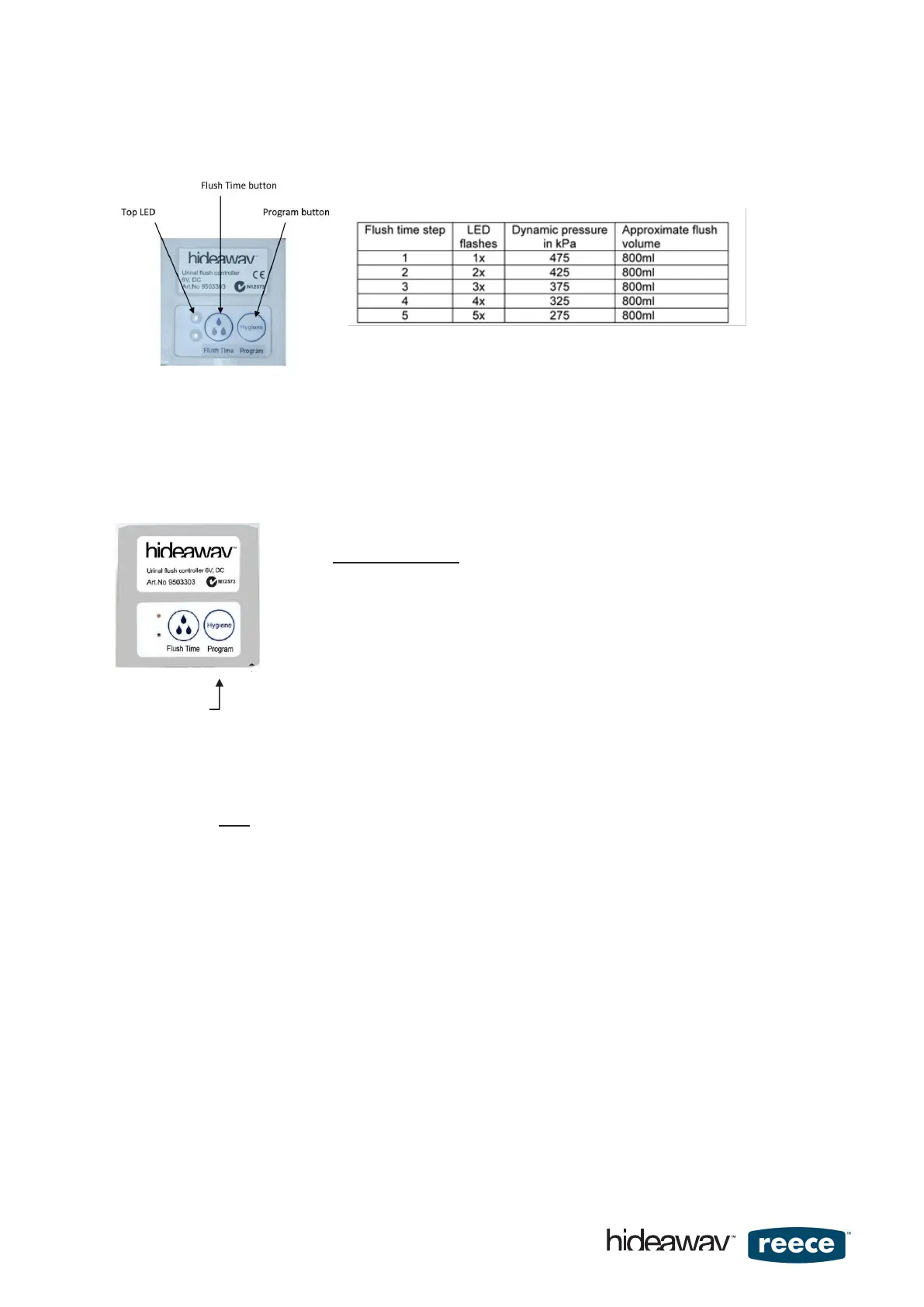
Button 2
To change the program, complete the following:
A) Press ‘Button 2' once (for 1 to 3 seconds) and the LED will indicate by flashing program setting.
Either a short 1 second flash indicates ‘Program 1' or a long 2 second flash indicates “Program 2"
Note:
The LED will continue flashing in a steady repeating rhythm to indicate that the controller is still in editing
mode and settings can be changed. Do not be distracted by this flashing.
B) Press ‘Button 2' again to change programs. The LED will now respond with a 1 second short flash to
indicate program 1 or a 2 second long flash to confirm the selected program.
C) Once the desired setting is achieved wait for about 20 seconds and the controller will automatically exit
edit mode.
As confirmation that the controller is now ready for use 2 flushes will be automatically triggered.
page 7 of 16


 To Next Page
 Loading...