3. Add the device to your Smart Reef account
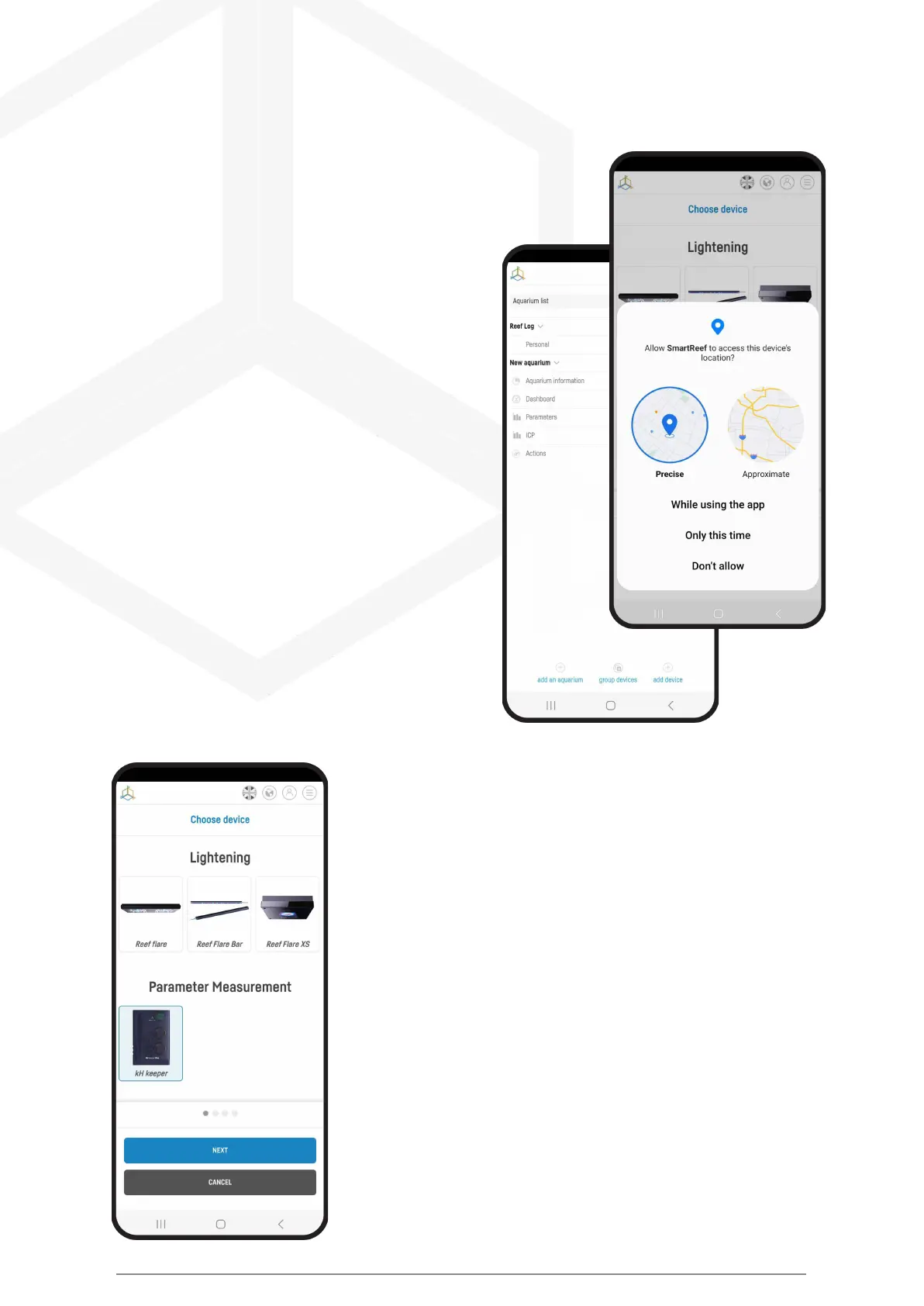
From the list of aquariums or the list of devices
in the lower right corner of the screen,
select “add device.”
Allow the app to use your exact location when
using the app. This allows the app to connect devices
to Wi-Fi networks more easily.
Select from the scrolling list the device you want to add to your
Smart Reef account and press “NEXT”.
Smart roller manual © Reef Factory 2023
22



 To Next Page