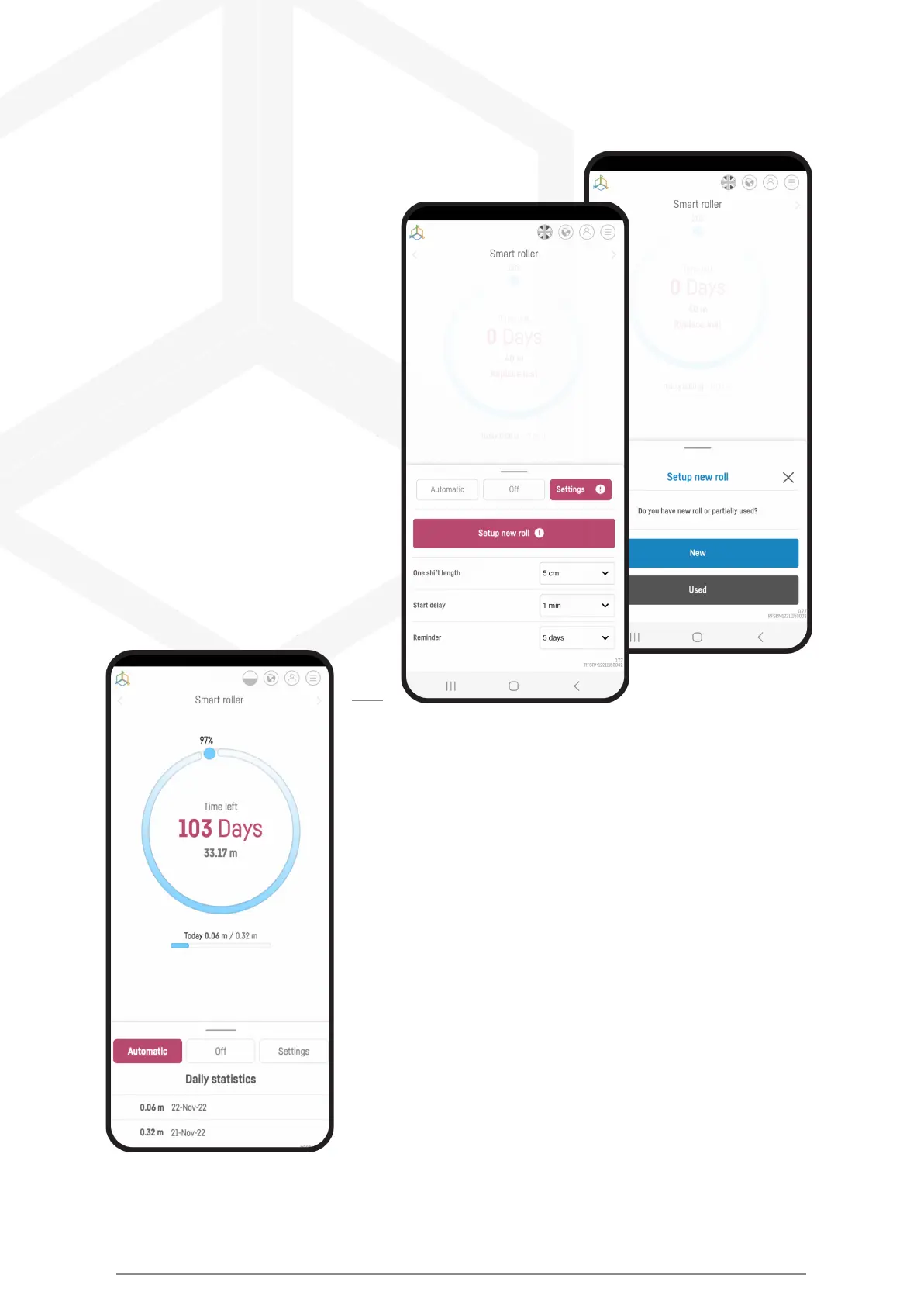
In the Smart Reef app, go to the device menu and select the
"SETTINGS" tab, then click the
"Set up new reel" button.
Select a new or used roll from the
menu. If you are using a roll, you
will need to enter the diameter of
the roll to calculate the amount
of fleece remaining. Then accept
the choice.
From now on, in the device menu you will find information about the
amount of non-woven fabric left on the roll, the expected time for
which it will be enough and statistics from the current and previous
days.
Smart roller manual © Reef Factory 2023
32



 To Next Page