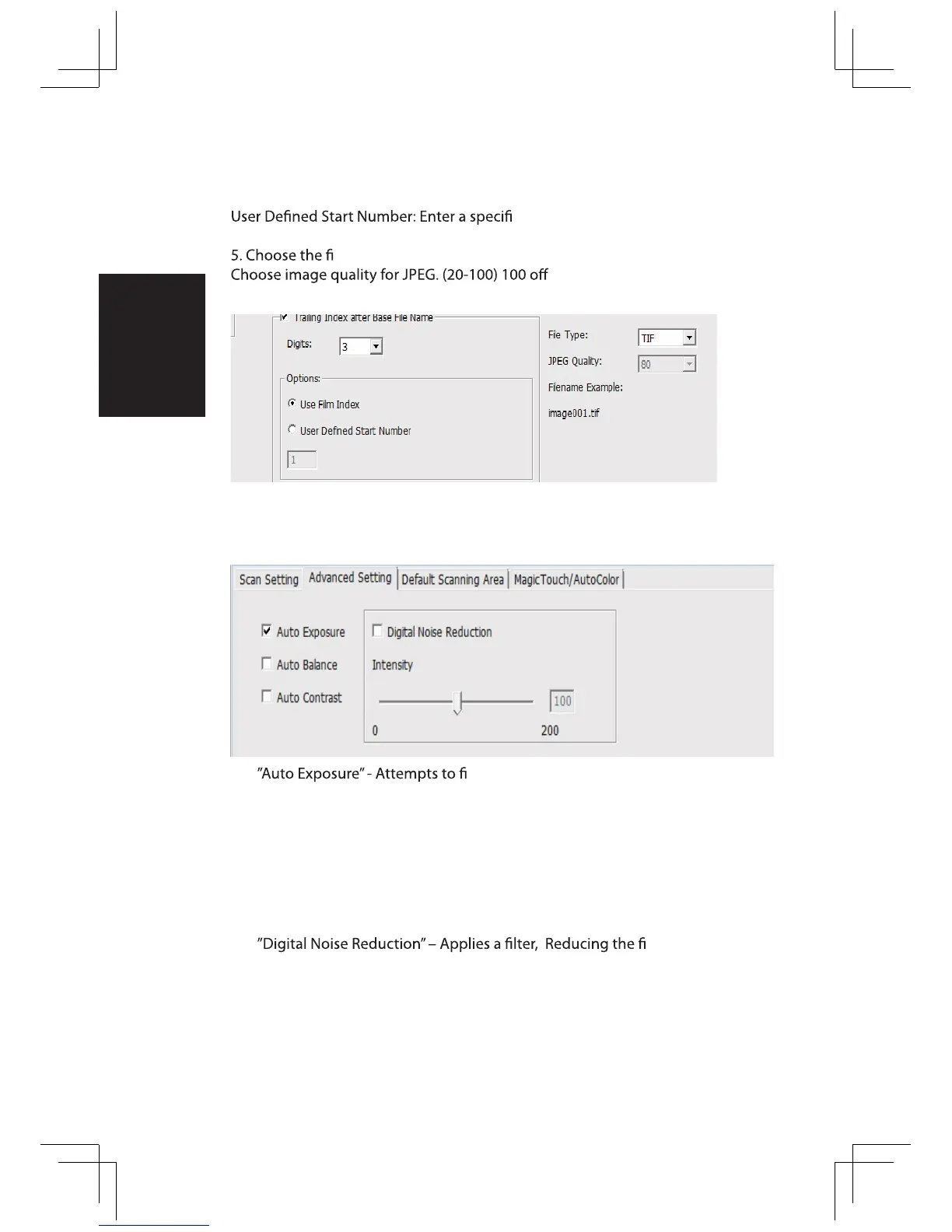
4. Options - Use Film Index: Use the number assigned to the slide based on it’s
position in the cartridge.
c start number
le type , “TIF” or “JPG”. (TIF uncompressed or JPG Compressed-
ers the least amount of compres-
sion
nd the correct exposure to get the widest
range of whites and blacks while putting the middle grays at around the
middle of the data range.
”Auto Balance” - Using the image histogram to balance RGB channels. It
estimates images’ color cast and adjust the images accordingly
“Auto Contrast” - The scanner software analyzes the data and automatically
adjusts the Setting for the White and Black Points.
lm grain.















 To Next Page