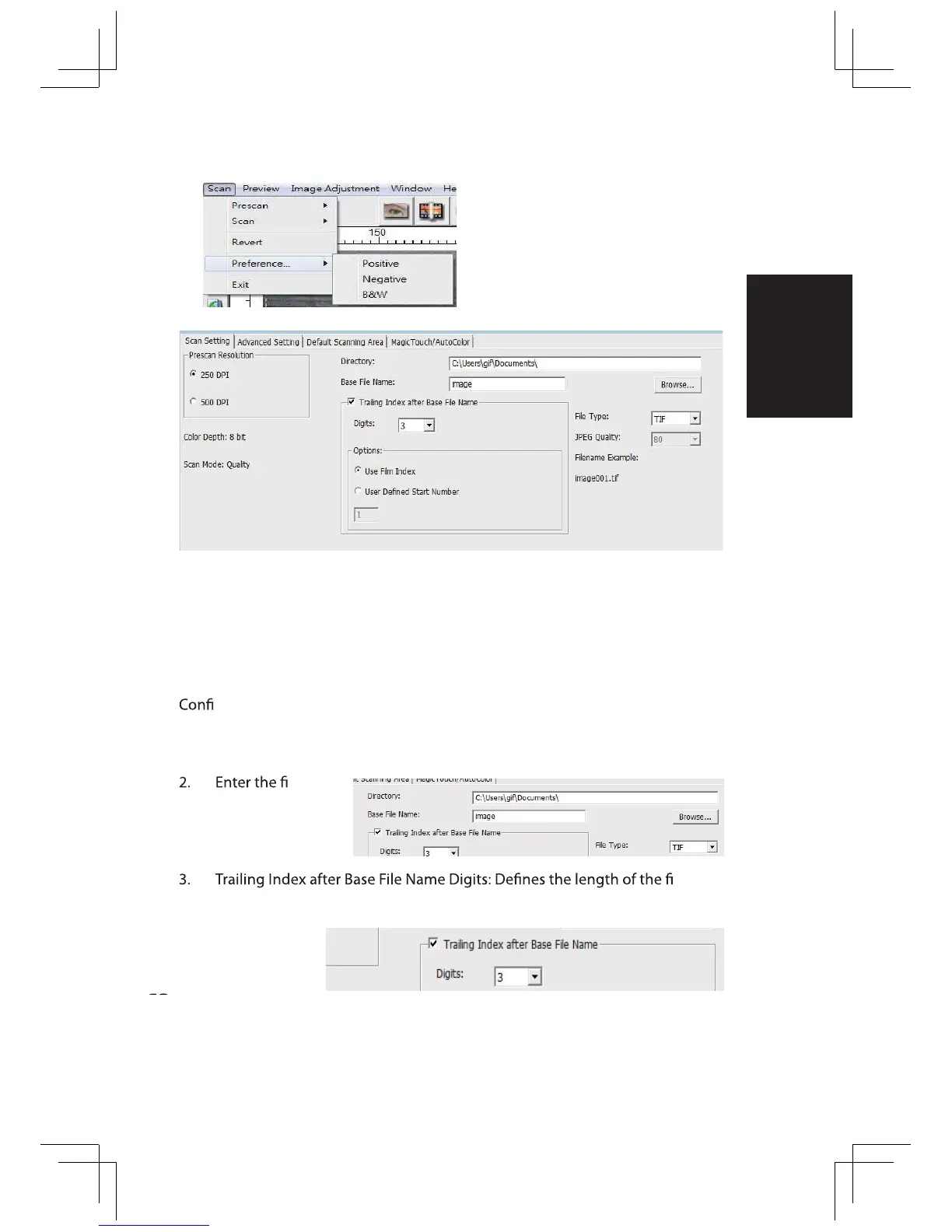
“Prescan Resolution“ - Default pre-scan resolution.
“Using default real scan resolution“ - Enables default scan
resolution setting.
“Color Depth“ – Default color depth while scanning.
“Scan Mode“ – Default scan mode while scanning.
Select Scan - Preference - Film Type - Scan Setting
guring Scan settings
1. Select Browse and choose the designated folder to save the scanned
image to
le name.
le
name and numbering sequence up to 6 digits Example image1 or im-
age000001.
STEP 5 – Set Scan Preferences
ENGLISH















 To Next Page