Need help?
Do you have a question about the REFLEX ACTIVE 1 Series and is the answer not in the manual?
Set reminders in the app to stay active throughout the day.
Use the app to locate your phone or smartwatch via a locator alarm.
Avoid sprays, creams, corrosive agents, and immersion in water. Do not disassemble.
Do not replace battery, open device, or exceed 2-hour charge time.
Avoid strong impacts, magnetic fields, heat sources, and use near medical equipment.
Consult doctor for pacemakers, epilepsy. Heart rate monitor is for recreation.
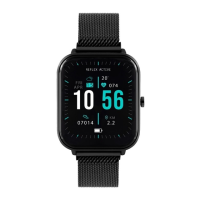
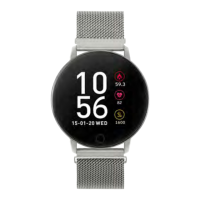
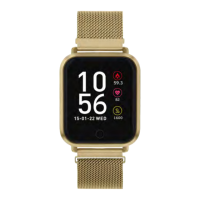
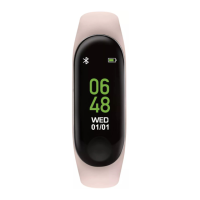
The REFLEX ACTIVE smartwatch is a wearable device designed to track various aspects of your daily activity and provide convenient notifications. It features a touch-sensitive screen and a single touch button for interaction.
The core function of the smartwatch is to act as a personal activity tracker. It automatically records your daily steps, calories burned, and distance covered. This data can be viewed on the watch itself, switching between steps, calories, and distance with a touch of the key. For more in-depth analysis and to set activity goals, the data syncs with the REFLEX ACTIVE App on your smartphone.
Beyond basic activity tracking, the smartwatch offers a multi-sport mode, allowing you to track specific exercises such as walking, running, cycling, and climbing. By long-pressing the touch screen button, you can access these functions. Once an activity is selected and started, the band records your sports data. After completing your exercise, you press the touch screen to stop and save the movement. It's important to note that activities lasting less than one minute will not be recorded.
The device also includes a heart rate monitor, designed for recreational use, providing an estimate of your heart rate. It's crucial to understand that this is not intended for medical diagnosis or monitoring.
Sleep tracking is another key feature. By setting a sleep target within the App's settings and goals, the smartwatch can monitor your sleep data, which can then be accessed via the "today" section on the App's home screen.
For communication and alerts, the smartwatch provides call and message notifications. When connected to your phone, it will alert you to incoming calls, SMS, WeChat, and WhatsApp messages. You can switch to the message interface and view messages by pressing the touch button.
The smartwatch also includes a weather display. After connecting to the REFLEX ACTIVE App and selecting your city in the advanced settings, the current weather for that city will be shown on your smartwatch.
Additional functions accessible via the "More" menu (long-pressing the touch button) include an "About" section where you can check the band's address, device name, and system version. It also offers a "Power Off" option to turn off the band and a "Reset" function to reset and restart the watch.
A "Find Your Phone" feature is available when the smartwatch is connected to the App. By accessing this via the sub-menu and then "More," and long-pressing the touch key, your phone will sound a locator alarm. Conversely, you can find your tracker from your phone by selecting "find device" from the App's settings menu.
The smartwatch is designed for intuitive interaction. You can illuminate the screen by twisting your wrist or pressing the touch key. Pressing the touch key allows you to switch between main menu interfaces, while a long press confirms actions. Gesture control, such as twisting your wrist to illuminate the screen, can be customized within the REFLEX ACTIVE App's advanced settings.
The device offers six different time screens to choose from. You can select your preferred one by pressing and holding the touch key.
To ensure you stay hydrated and active, the App allows you to set "Drink Alerts" and "Keep Active" reminders. These reminders are configured in the advanced settings of the App.
For remote control of your phone's camera, the "Camera Control" feature is available when connected to the App. By accessing the photo feature via settings and selecting "take photo," you can press the touch button on your band to take a picture. Photos are automatically saved to your phone on Android devices, with an option to save/retake on iOS devices.
Alarm and alert functions can be set up through the App. From the "reminder" section at the bottom of the home screen, you can add various reminders like wake-up alarms and medication alerts.
The REFLEX ACTIVE App is essential for maximizing the smartwatch's functionality. It is compatible with Android (version 4.4 and above) and Apple iOS (version 8.0 and above) smartphones, requiring Bluetooth 5.0. To connect the band to your phone, you enable Bluetooth, open the App, review and accept the privacy policy, set up your profile and goals, then tap the green icon to select your watch from the list and allow notifications. Disconnecting involves opening the App, tapping "disconnect device" in Settings, and forgetting the device in your phone's Bluetooth settings.
Charging the smartwatch is straightforward. You remove the tracker from the band by gently pressing from the back while holding the band securely. Then, insert it into the charging cradle with the touch button facing forward. Once the power charger is plugged in, the band will activate automatically. The band should be charged when it displays low battery, with a 2-hour charge time being sufficient for a full charge. It's advised not to exceed a 2-hour charge period.
For strap care, it's recommended to treat it with care and limit exposure to direct heat or sunlight. Keep the watch dry and away from wet surfaces. Avoid chemical cleaners, cosmetic products, fake tan, or perfumes on the strap. Light soiling can be cleaned with a weak soapy water solution on a barely damp soft cloth. For silicone straps, regular cleaning with mild soap and water is advised, ensuring the case of the smartwatch does not get wet. When not wearing the smartwatch, it's recommended to store it in the gift box.
The device is not suitable for swimming or showers and should not be immersed in water. It's also important not to attempt to replace or disassemble the battery.
The REFLEX ACTIVE tracker resets every day at midnight, and data is stored on the tracker for 7 days. For best results and to ensure a full history of activities, it is recommended to sync your tracker to the App daily.
 General
| Display Type | LCD |
|---|---|
| Battery Life | Up to 7 days |
| Touchscreen | Yes |
| Heart Rate Monitor | Yes |
| Compatibility | Android, iOS |
| Notifications | Yes |
| Sensors | Heart Rate Sensor, Accelerometer |

 To Next Page