SETTINGS
Series 22 - getting started
FEATURES
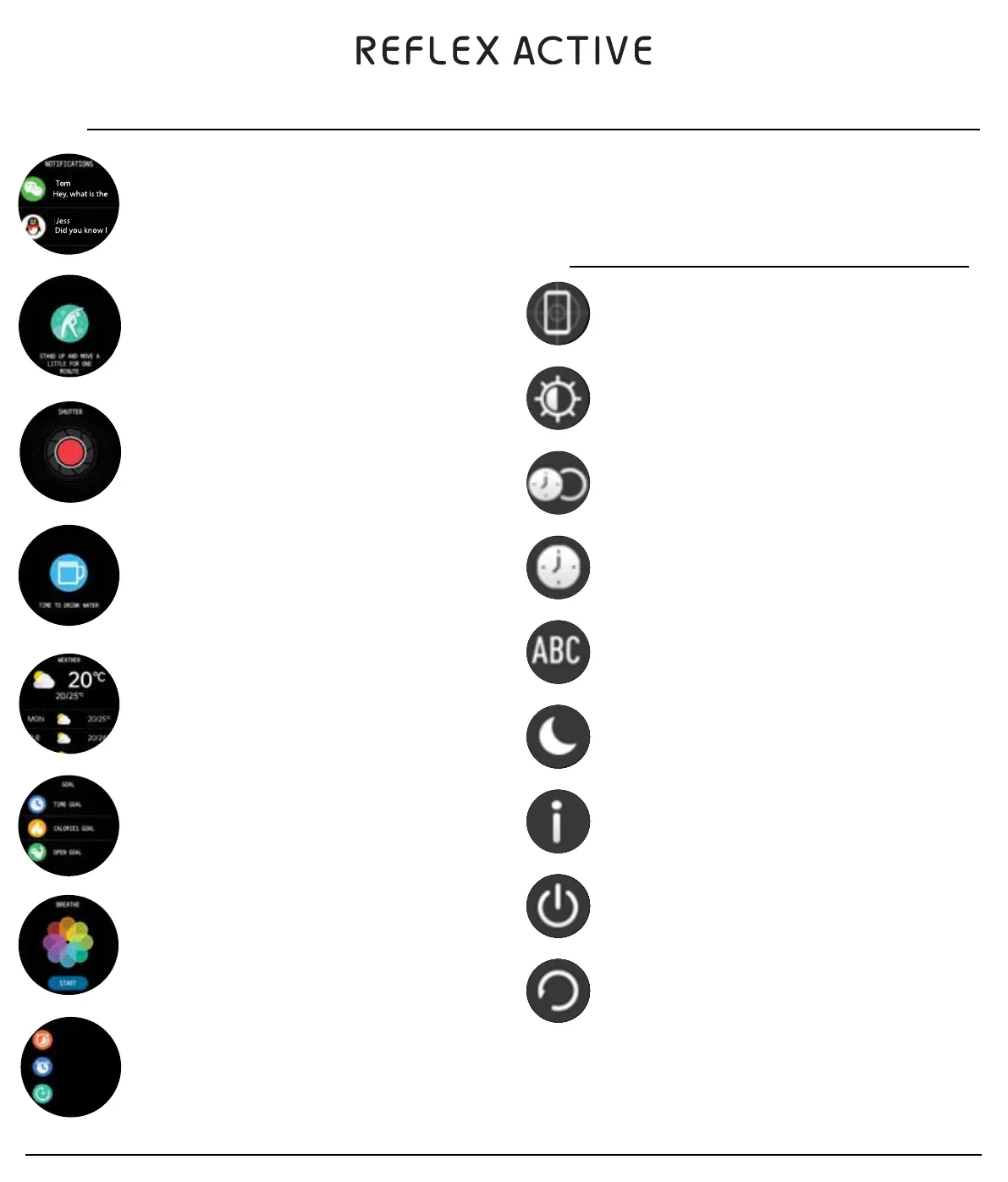
FIND DEVICE
When connected via Bluetooth, our FIND DEVICE feature in the REFLEX ACTIVE
app will vibrate your watch to help you locate it.
BRIGHTNESS
Tap the brightness icon to adjust (+/-) the screen brightness.
DISPLAY DURATION
Choose the display duration.
CHANGE DIAL
To switch the watch face, swipe from right to left to select the dial you want.
LANGUAGE
You can change the language from the app.
DO NOT DISTURB
Switch do not disturb Mode on/off.
ABOUT
Here you can view device information such as system version.
POWER OFF
Turn off the smartwatch.
RESET
Reset the device. After resetting, all data on the watch will be cleared.
MESSAGE NOTIFICATIONS
The device will sync incoming notifications from socials such as, Twitter,
Facebook, Whatsapp, Instagram etc.
Note: Select the notifications you wish to see in the app.
REMINDER TO MOVE
The device will vibrate to remind you to move after 1 hour of inactivity.
Note: You can switch on/off this feature in the app.
CAMERA CONTROL
You can control your phones camera once the watch is connected to your phone.
Note: The phone needs to be unlocked before the watch can control the camera.
HYDRATION REMINDER
Hydration is key to feeling your best, your watch will remind you it’s time to take
a drink.
Note: You can set the feature in the app.
WEATHER UPDATES
You can view current weather and forecasts for the net day. Swipe up to view the
forecast.
Note: This information is synced from the app. Phone must be connected to
receive updated weather forecast. Location must be selected from app settings.
GOALS
A reminder will pop up once your goal for the chosen sport is achieved.
BREATHE
It is important to take a few minutes out to practise a little mindfulness, this
feature helps you focus on your breathing during the day and when trying to
sleep.
OTHER FEATURES
Stop watch, Alarm, Timer, Brightness, Mute, Theatre Mode, Factory Reset,
Power Off and About.
USING QUICK VIEW
Using quick view you can check the time on your smart watch without tapping. Just turn your wrist
towards you and the time will appear for a few seconds.
Stopwatch
Alarm
Timer


 To Next Page
 Loading...