100
Chapter 4
Sanitizing Water System
If the vessel has been in a storage condition or you suspect
the water system may be contaminated, then the system
should be sanitized.
You can purchase a water treatment kit with ingredients
that will sanitize the system. Follow the directions with
the treatment kit. If a water treatment kit is not available
follow these steps to sanitize the water system.
1. Make sure the water tank is pumped until empty. Shut
off the water pressure breaker at the 12 volt ship’s panel. Do
not run the fresh water pump dry.
2. Locate the potable water system disinfection information
and chart located in Chapter 10 of this manual.
3. Follow the step by step procedure outlined there using the
supplementary chart as needed to mix the ingredients.
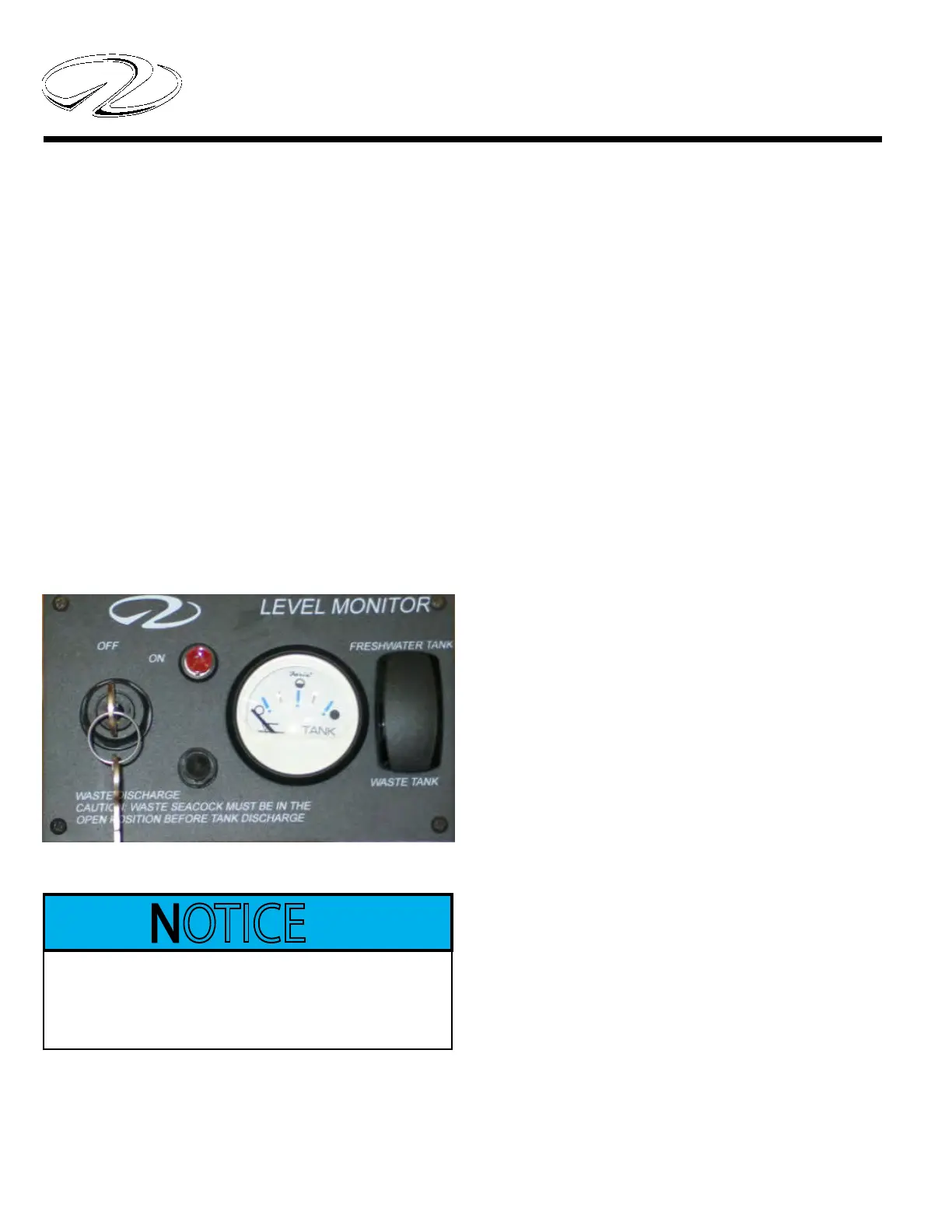
Typical Monitor Panel
If installed the water system features a water/waste
monitor panel which senses the amount of water left in
the potable water tank system. It is located at the ship’s
main electrical control panel in the aft starboard salon.
To use the panel, press the switch in toward the freshwater
tank position and hold. The amount of potable tank water
will be displayed. The sender for the fresh water monitor is
located on the top of the fresh water tank which is located
under the front berth. The key switch portion is used for
the optional overboard discharge. Read and understand the
section on using the macerator in the waste system before
attempting to operate the overboard discharge system.
Laws in many locals prevent the use of overboard discharge. A
person could be severely ned so know the restrictions before using
the macerator pump-out.
Do Not Use Waste/Pump-Out
Before Knowing Laws/Regulations
Regarding Dumping Waste.
TYPICAL WATER/WASTE MONITOR PANEL



 To Next Page