17
OPERATION - LINKING THE REMOTE
Connecting one Remote to one base
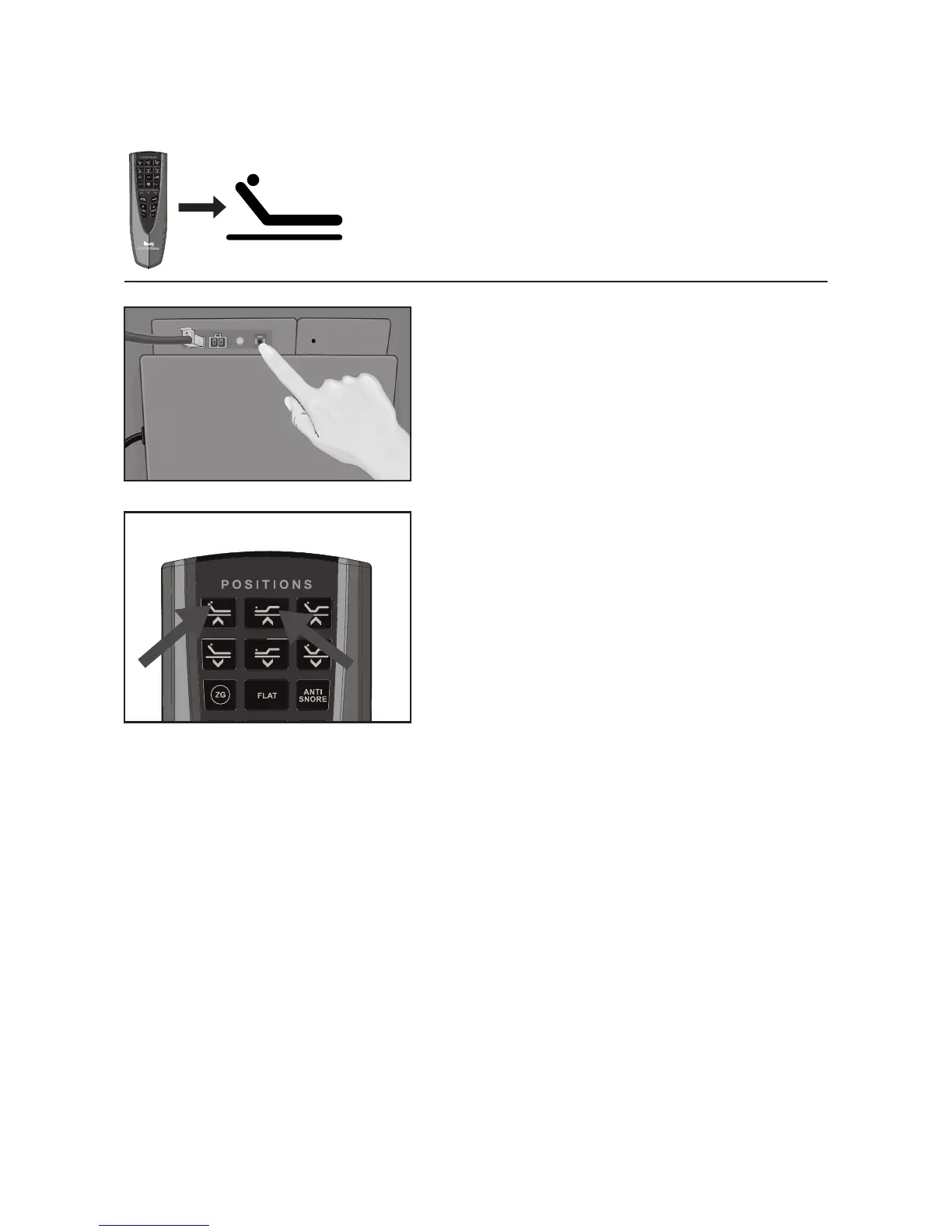
How do I link my remote control to the Comfort Base?
1
Press and hold the Link button (the black
round button on the control box located
on the bottom of the base) until the LED
light on the control box turns on and then
off. Release the button and the LED light
will blink.
2
Simultaneously press and hold the Head
Up and Foot Up buttons until the remote’s
backlight starts blinking. Release the two
buttons and the backlight and the LED
light on the control box will blink until
linked, then they will turn off.
3
Test the bed to make sure it is working,
and repeat the steps if it is not.
How do I Re-Program the Zero-Gravity button back to factory setting?
The Zero-Gravity button has the capability to be re-programmed. In case you would like to
set it back to the original Zero-Gravity setting follow the below instructions:
1. Raise Head to 17 degrees.
2. Raise Foot to 25 degrees.
3. Press and hold the program button labeled “TIMER/ALL OFF button” until the remote
starts to flash.
4. Release program button.
5. Press Zero Gravity button once.
6. Done.



 To Next Page