92
Joystick
Yamaha Joystick
Your vessel comes with Yamaha Joystick in addition
to your standard helm controls. The joystick is
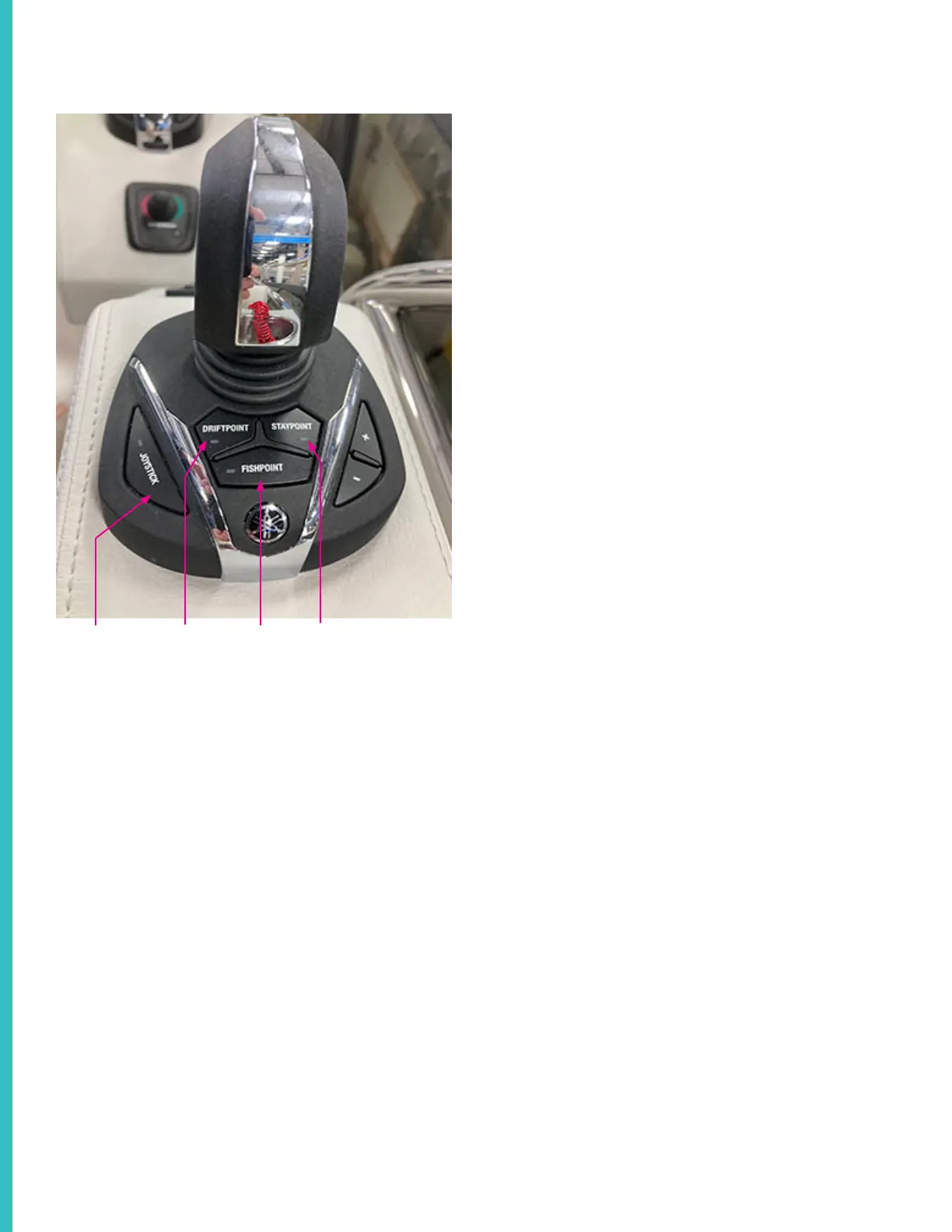
used to maneuver and dock the vessel. Press the
“Joystick” button on the left side of the throttle
body engage the joystick. Refer to the diagram on
the following page for a brief overview of joystick
control.
Press the “Driftpoint” button to engage driftpoint
mode. When driftpoint mode is engaged, the boat
will automatically maintain the current heading, but
also allow the boat to drift naturally with the current.
Engage staypoint mode by pressing the “Staypoint”
button. Staypoint mode will automatically maintain
both heading and position.
Pressing the “Fishpoint” button will engage fishpoint
mode. Fishpoint mode will maintain heading and
position while also keeping the engines as quiet as
is possible.
Use the “+” and “-” buttons on the right side of the
joystick body to control the boat’s speed.
Driftpoint
Fishpoint Staypoint
Autopilot Panel
You can use the autopilot panel to control and
program the autopilot.
Press the “Heading Hold” button and the autopilot
will maintain the current compass heading while
the operator maintains control of the speed.
Press the “Course Hold” button and the autopilot
will maintain your current speed and heading. In
either mode, you can use the arrows on either side
of the panel to adjust the boats heading.
Press the “Track Point” button and the cruise
control will follow the path of whatever way points
you have programmed in the helm plotters.
The “Pattern Steer” button allows the auto pilot to
engage any one of the pre-programmed patterns
built into the auto pilot.
Refer to your manufacturer owner’s manual for
more information.



 To Next Page