91
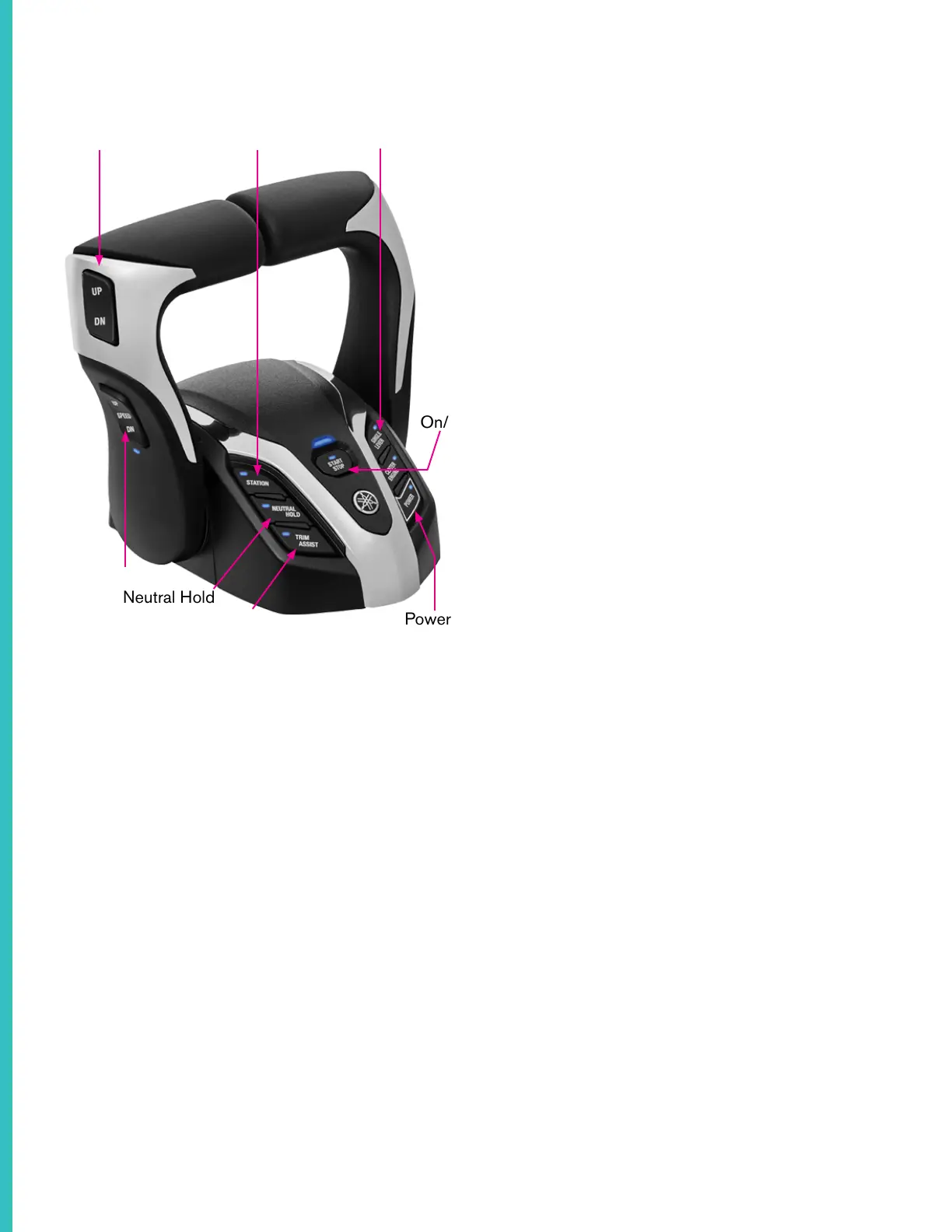
On/Off
Single Lever
Power
Helm Station
Neutral Hold
Note: Layouts may vary
Your boat comes equipped with a Yamaha Twin
Binnacle. When you turn the boat on, the light on
the “Station” button will light up to indicate helm
control is active. The left and right levers control the
gear and speed of the port and starboard engines
respectively.
Press the “Single Lever” button on the throttle body
to control both engines with a single lever.
The trim switch on the left side of the throttle handle
raises and lowers the angle of the outdrive.
Hold the “UP” and “DN” arrows on the switch to
manually adjust the angle or use the “Trim Assist”
button on the right side of the throttle body to
activate “Power Trim Assist” or “PTA”.
Power Trim Assist automatically adjusts the angle
of the outdrive to provide the optimal ride. As the
boat accelerates, the PTA will raise the outdrive for
a smoother ride and better performance.
There are two buttons on the back of the control
body that raise or lower each outdrive individually
The buttons on the lower left of the throttle lever set
your cruise control. Use the “UP” and “DN” buttons
to adjust the boat’s RPMs in 50 rpm increments.
Trim Control
Cruise Control
Trim Assist
The cruise control will adjust the RPMs in relation
to the set throttle position.
You can raise or lower the RPMs five times before
needing to adjust the throttle.
Pressing the “Neutral Hold” button will keep the
engines from shifting into forward or reverse gear
when you press the throttle forward or pull it back.
Engaging the throttle will still engage the engines,
but the vessel will remain stationary.
Refer to your manufacturer owners manual for
specific information on dual control functionality.
Yamaha Dual Binnacle Control



 To Next Page