FPI FireGenie
TM
Remote Control Manual8
AUTO MODE
There is a 3-minute delay built into the Remote Control. This delay will affect the “AUTO” and “PROG”
modes only. Which means the unit may not respond to specifi c instructions instantly when in either of
these 2 modes.
Note: Ensure the Remote Control has been turned “ON” in order to operate in this mode.
In Auto Mode the Remote Control operates as a thermostat to turn the fi re on and off depending on what
temperature setting it has been programmed to.
Auto mode can be selected by pressing and releasing the AUTO/MAN button until the symbol “AUTO”
is shown on the LCD.
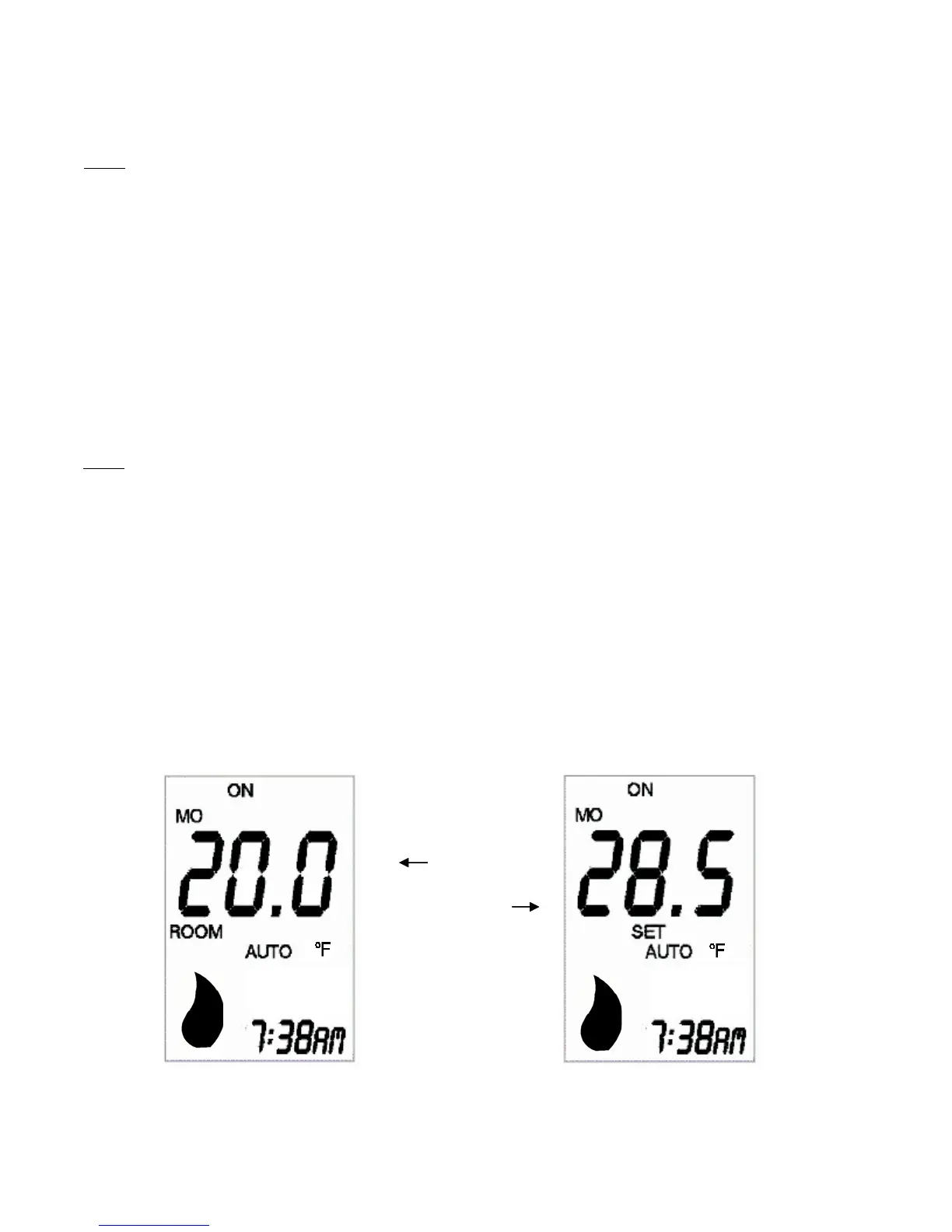
In Auto mode, when either the “+” or “-” button is pressed, the Set Temperature will be displayed on the
LCD instead of the Room Temperature. The Set Temperature will remain displayed on the LCD for 5
seconds after the button is released and then the display will revert to show the Room Temperature. The
Set Temperature can be adjusted while it is displayed using the “+” and “-” buttons.
The LCD will show the following when either the “+” or “-” button is pressed:
MANUAL MODE
Note: Ensure the Remote Control has been turned ON in order to operate in this mode.
Manual mode can be selected by pressing and releasing the AUTO/MAN button until the symbol
“MANUAL” is shown on the LCD.
In Manual mode, the Flame can be turned on and off using the Remote Control via the ON/OFF button.
Room
Tem
erature
Set
Tem
erature
Auto Mode normal
display
When “+” or “-”
button is pressed


 To Next Page