FPI FireGenie
TM
Remote Control Manual10
Time Zone 1 On-Time
Programming of Time Zone 1
SETTING THE PROGRAM MODE
The user can program two On-Times and two Off-Times as well as the Temperature settings for each
day of the week. The PROG button is used to initiate the programming mode. The “+” and “-” buttons
are used to adjust the time and temperature settings.
Note: The Remote Control must be “ON” in order to set the Programs.
To change or re-program your Remote Control, confi rm that the Remote Control is in program mode.
“PROG” will be displayed on the LCD. Hold the “PROG” button down for 2 seconds, you will see
“PROG” and the Time both fl ash. Continue through the set-up instructions.
Follow the steps below to set the programs:
1) Programming the On-Time of Time Period 1
Press and hold the PROG button for 2 seconds or more to initiate the Programming mode.
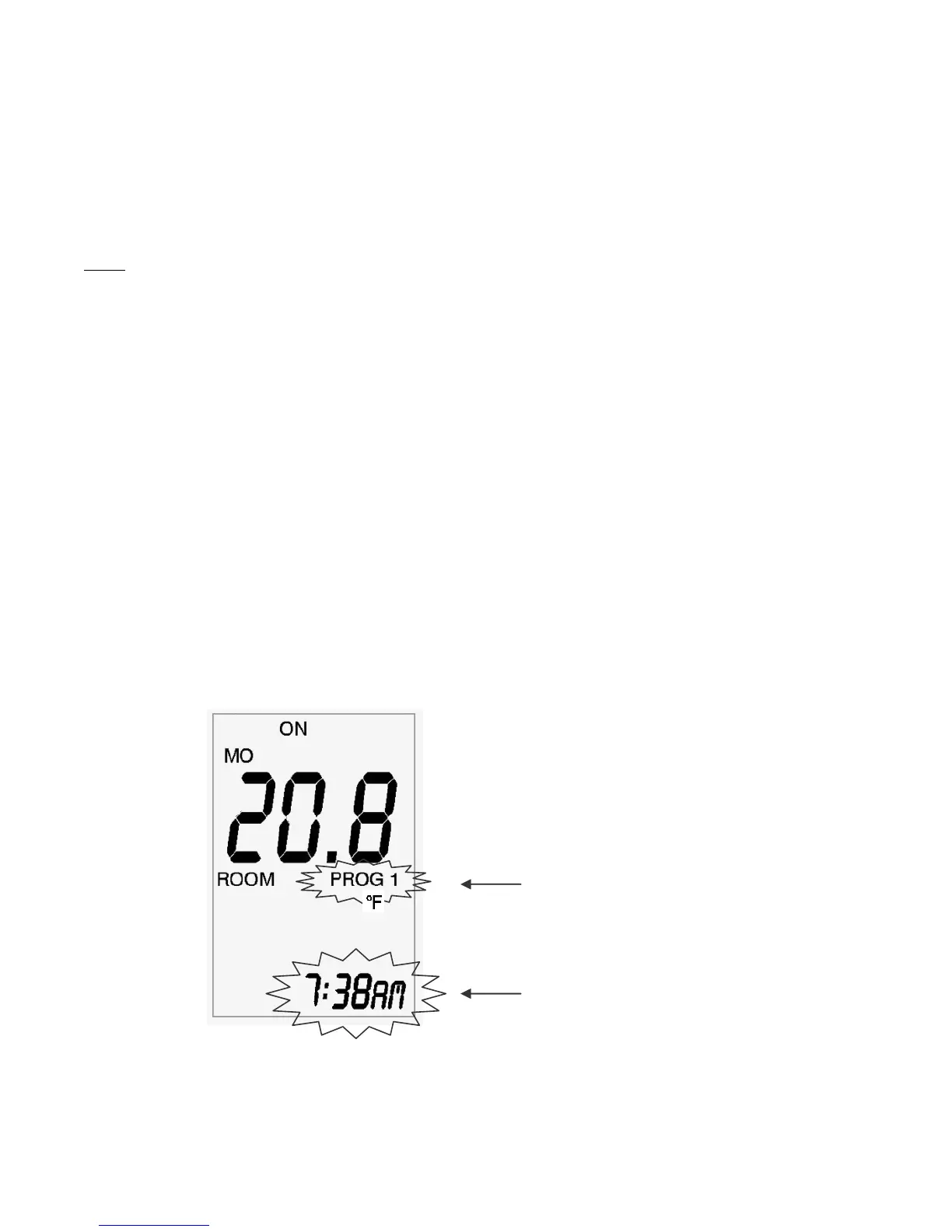
The symbol “PROG 1” will fl ash to indicate the Remote is in Programming mode.
The On-Time for Time Period 1 will also fl ash. The “+” and “-” buttons can be used to adjust
this time setting.
The LCD will show the current setting in Time Period 1 for Monday:
Programming of Time Period 1
Time Period 1 On-Time


 To Next Page