1010
Owner's Information
MAINTENANCE
ENSURE THE APPLIANCE IS TURNED OFF BEFORE
CLEANING.
Wait for at least 10 minutes until the appliance has cooled down.
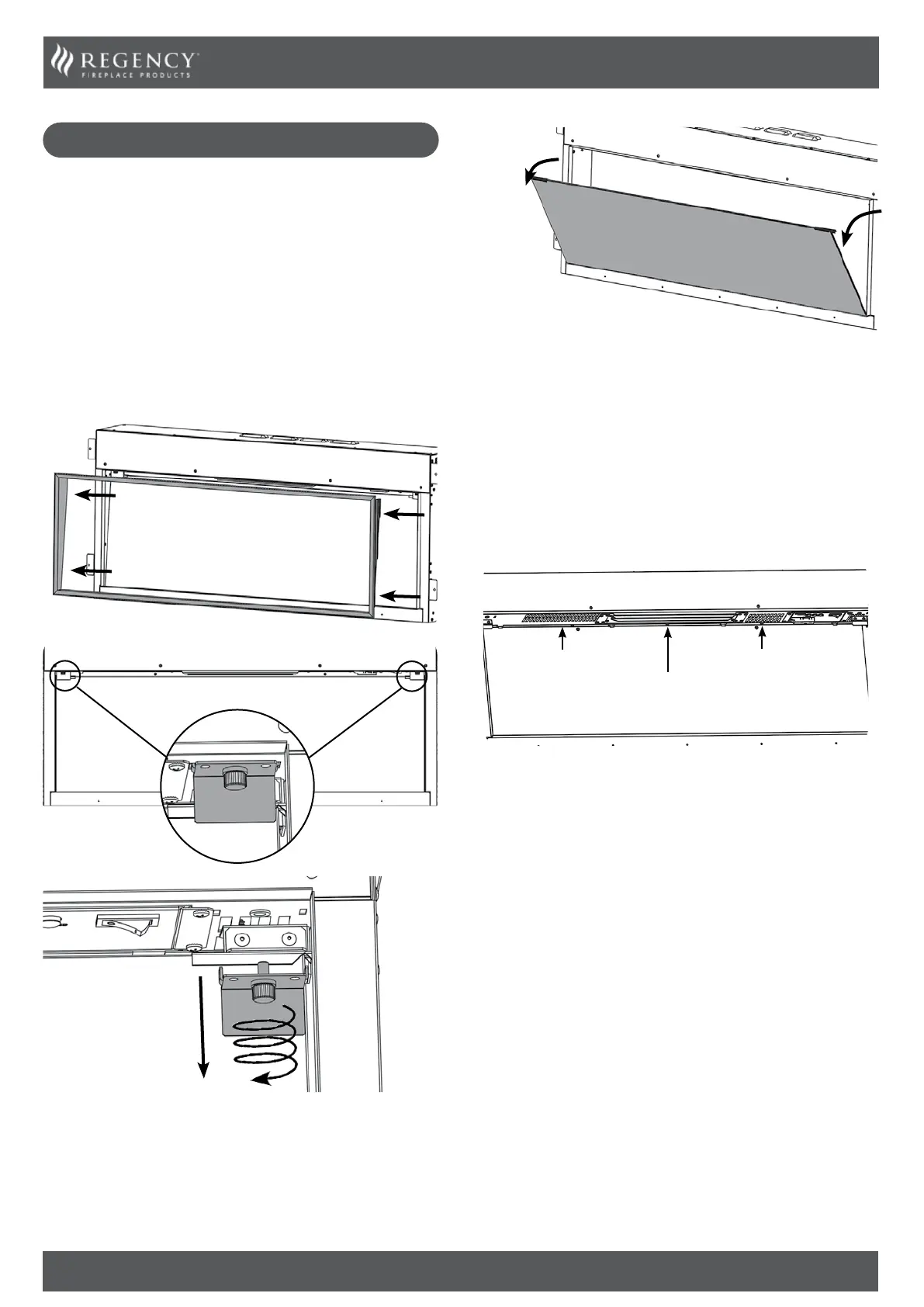
GLASS CLEANING
Wipe the glass viewing panel with a damp cloth and buff with a lint
free duster.
Caution: Do not use abrasive cleaners on the glass panel.
Do not spray liquids directly onto any surface of the unit.
CLEANING THE FUEL EFFECT
Remove and wash the fuel effect to remove any dust particles.
Alternatively clean with a lint free duster.
Ensure that the effect is dry before replacing.
Replace the fuel effect see Installation Instructions Section
5 for layout.
Replace in reverse order.
CLEANING AIR INLETS
Clean the air inlet and outlet grilles regularly with a soft cloth or
the nozzle of a vacuum cleaner.
Air Outlet
Air inlet
Air inlet
Dust build-up can inhibit efficient performance of the fan
and lead to the safety cut-out operating.
Keep the area around the appliance clean and free of fluff, dust or
pet hair.
In particular, build-up of dust etc. can occur around the heater
area. Take particular care to keep this area free from such particles
on a regular basis to prevent build-up.
SERVICING AND SUPPORT
To keep your appliance looking and performing at its best, it must
be serviced annually. This service must be undertaken by a suitably
qualified individual and your retailer can organize this for you.



 To Next Page