REGO Thermal Printer Technical Manual
www.regotek.com 5
1. Overview
This manual contains all the general control commands for the below REGO thermal printer
models. It is about the use of various control commands and notes. However, different models
have different specific parameters and functions, in this manual may not contain all of them. So
please contact REGO technical team if there were any questions or supports required.
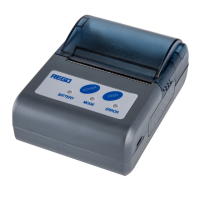
Mobile: RG-MTP58B, RG-MTP80B, RG-MLP80A
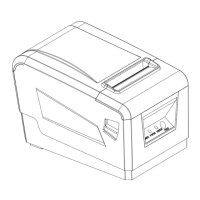
POS: RG-P58B, RG-P80A
Kiosk: RG-K628, RG-K220, RG-K532, RG-K532-H
Desktop: RG-DTP58
Notice: RG-MLP80A supports both ESC/POS and CPCL.
2. Command format
[Name] The name of the command.
[Format] The code sequence.
ASCII indicates the ASCII equivalents.
Hex indicates the hexadecimal equivalents.
Decimal indicates the decimal equivalents.
[ ]k indicates the contents of the [ ] should be repeated k times.
[Range] Gives the allowable ranges, if any, for the command parameters.
[Description] Describes the function of the command.
[Notes] Provides important information on setting and using the printer command, if
necessary.
[Default] Gives the default values, if any, for the arguments.
[Reference] Gives the references, if any.
[Example] Provides examples for using the command.
3. Explanation of terms
Receive Buffer
The receive buffer is used to store data from the Host. All received data is stored in this buffer
temporarily and processed in the order received.
Print line buffer
Print line buffer is used to store one line of the data which will be sent to printer.
Print line buffer is full
It means current line buffer space is not enough to contain the current processing data.
Print line buffer empty
the line).
The beginning of one line
The pointer is at the beginning of the printing line. It will not meet such requirement if the print
line buffer was not empty or the command had set the print position.



 To Next Page