05
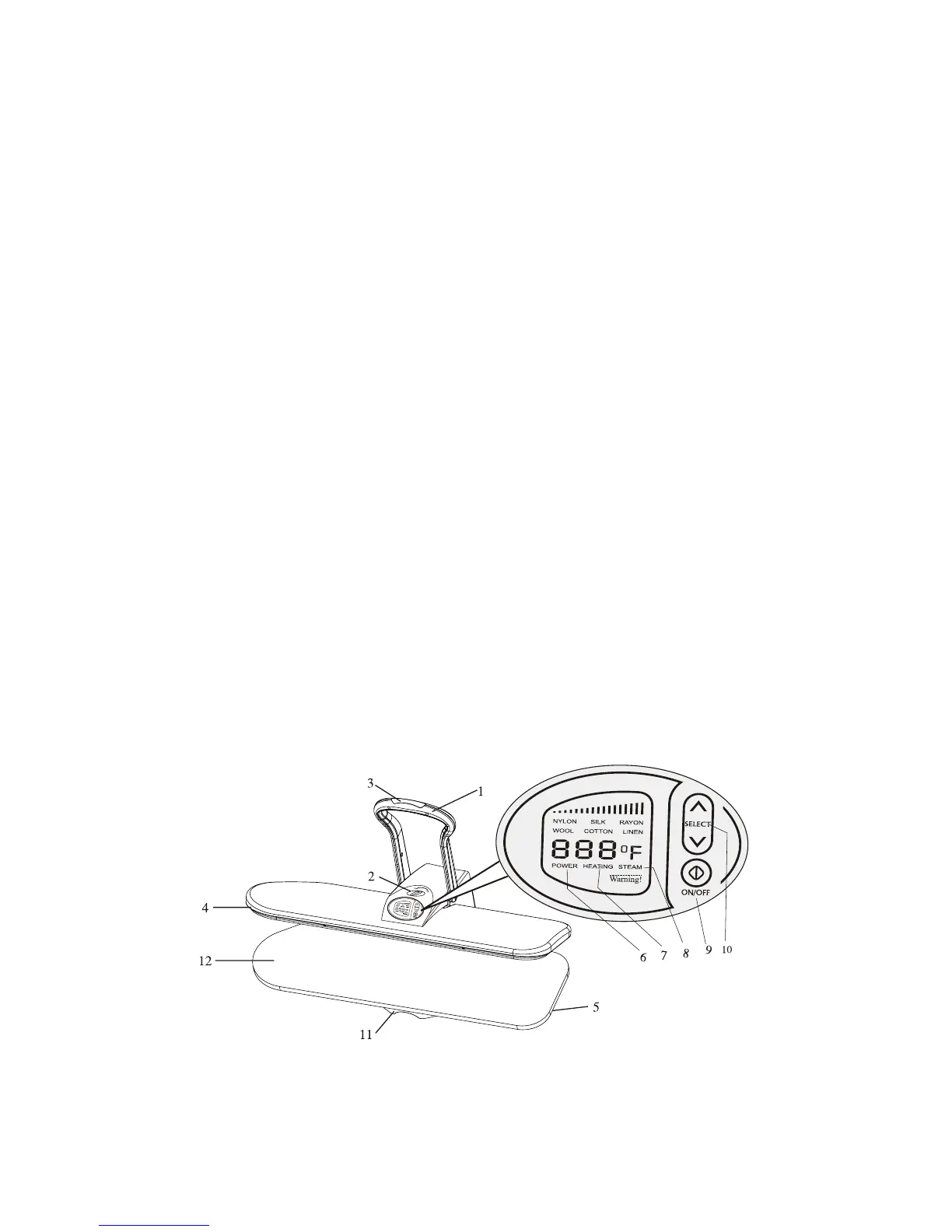
PART IDENTIFICATION
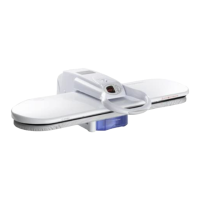
1. The Pressing Handle raises and lowers the pressing plate. By lowering the
Pressing Handle until it reaches the lowest point possible you automatically
obtain maximum pressure.
2. The Locking Knob will lock together the Pressing Plate and ironing board. Turn
the locking knob to the locked position to carry or store the steam press.
3. The Red Steam Burst Button on the handle grip produces a burst of steam
when pressed.
4. The Pressing plate is the temperature controlled surface that heats and
presses the fabric.
5. The Ironing Board is the padded surface that holds the fabric during pressing.
6. The Power Light (Red) is illuminated when the unit is on.
7. The Ready Light (Green) goes off when the Press has reached the selected
temperature.
8. The Steam Ready Light (yellow) goes on when the unit is ready. to produce
bursts of steam.
9. The*POWER*buttontoturnON/OFFtheappliance.
10. Press the *SELECT* button arrows to set the desired temperature for each
fabric.NOTE:Steamwillonlybeavailableonthethreehighestsettings(wool
cotton linen).
11. TheWaterTankslidesforwardandislledthroughholesinthetop.TheWater
Level can be seen through the front of the tank. Slide the tank forward for a
better view.
12. The Ironing Board Cover is removable and washable for extended use.


 To Next Page