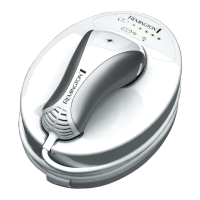
Getting Acquainted With i-Light
Treat desired area(s) with the i-Light device –
Single Flash Mode
1.
Place the i-Light hand piece against your skin so the Flash
Window is flush with the skin surface (fig. 8).
2.
Ensure the Skin Contact Sensor is fully engaged and the Bulb
Status Indicator Display is illuminated.
3.
Press the Flash Button to activate the device (fig. 9).
4. Move the hand piece to a new treatment area and repeat
steps 1-3 (fig. 10).
Treat desired area(s) with the i-Light device –
Multi Flash Mode
1.
Place the i-Light hand piece against your skin so the Flash
Window is flush with the skin surface (fig. 8).
2.
Ensure the Skin Contact Sensor is fully engaged and the Bulb
Status Indicator Display is illuminated.
3.
Press AND HOLD the Flash Button down to activate the
device (fig. 9).
4.
Immediately after the device has flashed, slide the hand
piece to a new location. After a short delay (approximately 2
seconds) the device will flash again (fig. 10).
NOTE:
■ During Multi-Flash Mode, the Skin Contact Sensor
AND the Flash Button must remain fully depressed. If
either becomes disengaged, the device will not oper-
ate. To resume treatment, repeat steps 1-4.
■ During Multi-Flash Mode, the Bulb Status Indicator
Display will remain illuminated while the Skin Contact
Sensor and Flash Button are engaged.
8
]
9
]
10
]


 To Next Page
 Loading...