Need help?
Do you have a question about the Remington MB4850 and is the answer not in the manual?
Details the function of the power switch and the charge/recharge indicator light.
Covers the adjustable zoom wheel, length position indicator, and the attachment comb.
Describes the stubble blade, detail blade, cleaning brush, and blade release mechanism.
Explains the LED indicators for charging status: charging, empty, and fully charged.
Covers instructions for using the trimmer with a cord and in cordless mode.
Details on attaching/removing blades, thinning, tapering, and trimming sideburns/neck.
Guidelines for regular cleaning of the clipper blades and unit to ensure performance.
Instructions for safely removing the battery and proper disposal of the appliance.
Information on the correct disposal of electrical and electronic goods.
Details on warranty, repair, and customer service contact for defects.
 General
| Wet & Dry | Yes |
|---|---|
| Step precise | 9 mm |
| Maximum hair length | 18 mm |
| Minimum hair length | 1.5 mm |
| Number of length steps | - |
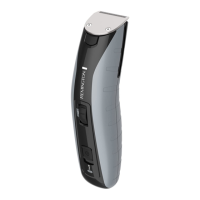
| Product color | Black, Grey |
| Housing material | Polycarbonate (PC) |
| Battery type | Built-in battery |
| Charging time | 4 h |
| Operating time | 120 min |
| Battery technology | Lithium |

 To Next Page