6
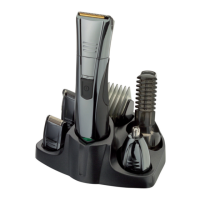
ATTACHING AND REMOVING THE TRIMMER ATTACHMENTS
Note: Always ensure the groomer is switched o before changing any attachments.
To remove, hold the groomer with one hand and turn the trimmer head anti-clockwise
with the other.
To attach, hold the groomer with one hand and turn the trimmer head clockwise with
the other.
USING THE PRECISION TRIMMER ATTACHMENT
• Fit the precision trimmer attachment
• Hold the precision trimmer perpendicular to the skin and apply gentle pressure.
• Edge and shape facial hair as desired.
USING THE MINI FOIL SHAVER
• Hold the groomer so the mini foil shaver gently touches your face.
• Use short, well-controlled movements to shave around your beard/moustache. Use
your free hand to stretch your skin. This encourages the hair to stand upright
making it easier to shave.
• Note: The mini foil shaver was designed to shave the detail areas around your
beard/moustache/sideburns. It was not designed to shave your entire face. For a
close comfortable shave, guaranteed, use one of Remington’s electric shavers.
CARE FOR YOUR GROOMER
• Care for your product to ensure a long lasting performance. We recommend that
you clean your groomer after each use.
• The easiest and the most hygienic way to clean the groomer is by rinsing the
product head after use with warm water.
AFTER EACH USE
• Rinse the accumulated hair from the cutters and shake o excess water,
alternatively, use a small soft brush.
• Gently tap on a at surface to remove hair particles, and brush the remaining
hairs away.
• Place one or two drops of cutter oil or sewing machine oil on the blades.
• Turn the clipper on to distribute the oil evenly, wipe o any excess oil.
• Wipe the main unit with a damp cloth and dry immediately.


 To Next Page
 Loading...