EasyManua.ls Logo

Remotec BW0392 - User Manual

Remotec BW0392
36 pages
Print Icon
To Next Page IconTo Next Page
Loading...

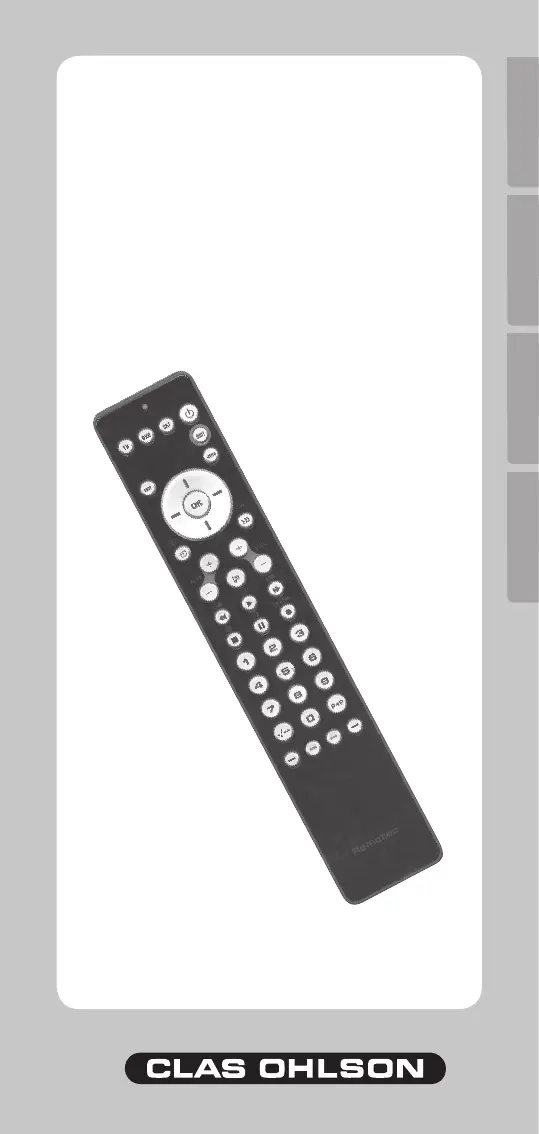
Model BW0392
Universal Remote Control



S U O M IN O R S KS V E N S K AE N G L I S H
No. 38-2072

Questions and Answers

  • M
    Matthew RobinsonAug 1, 2025
    What to do if my Remotec BW0392 is not working at all?
    • N
      Nicole MillerAug 1, 2025
      If your Remotec Remote Control isn't working, first check that the main power switch on your device is turned on. Ensure the batteries are correctly inserted, paying attention to the plus and minus signs. Verify that you're pressing the button for the intended device. If problems persist, try replacing the batteries. Note that the remote may not be compatible with all device models on the market, so compatibility isn't guaranteed.
  • M
    Mr. John Morton MDAug 11, 2025
    Why does my Remotec Remote Control only react to some commands?
    • M
      Mark WilliamsAug 11, 2025
      If your Remotec Remote Control only responds to certain commands, it's likely that the code you've set is only partially compatible. Try using different codes until you find one that allows most of the buttons to function correctly.
  • D
    dobrienAug 21, 2025
    What should I do if there are several device codes for my Remotec Remote Control?
    • K
      Kathryn WellsAug 22, 2025
      If your device has multiple codes for your Remotec Remote Control, test each one individually. Determine which code operates the most buttons on your device.

Summary

Features Overview

IR-emitter

Describes the infrared transmitter for device control.

On;off Switch

Explains the power button for activating or deactivating the remote.

Status Indicator

Details the LED light indicating remote operational status.

Device Selector

Identifies the buttons used to choose the target device.

Function Buttons

Refers to the various buttons that perform specific operations.

Product Description and Battery

Universal Remote Control (URC)

Details the pre-programmed remote's capability to replace up to six devices.

Battery Installation

Instructions for inserting the required 3x R03/AAA batteries correctly.

Low Battery Indication

How to identify and address low battery levels via indicator blinking.

Programming the Remote Control

Entering Device Code

Step-by-step guide to inputting four-digit codes for device compatibility.

Troubleshooting Device Codes

Advice on what to do if device codes don't work or need searching.

Searching for Device Codes

Method to search through all available codes when specific codes fail.

Remote Control Usage

Normal Usage

Basic operation of pointing the remote and pressing buttons.

Programme Control Features

Using volume/mute and channel switching across different devices.

Advanced Functions and Care

Double Connection;Disconnection

Allows controlling a second device simultaneously with the primary one.

Secondary Function Activation

How to use buttons with secondary functions via the SHIFT key.

Care and Maintenance

Guidelines on avoiding dust, moisture, shocks, and using appropriate cleaning agents.

Troubleshooting and Specifications

Remote Control Not Working

Actions to take if the remote fails to operate any device.

Device Code Issues

Solutions for when codes don't work or only partially function.

Disposal Guidelines

Follow local ordinances when disposing of this product.

Product Specifications

Details system type, power supply, and physical measurements.

Remotec BW0392 Specifications

General IconGeneral
BrandRemotec
ModelBW0392
CategoryRemote Control
CompatibilityZ-Wave
Power SourceBattery
RangeUp to 30 meters in open air

Related product manuals