01/07/2009 28/144 01/07/2009 29/144
Operating instruction
Radio Control Functions
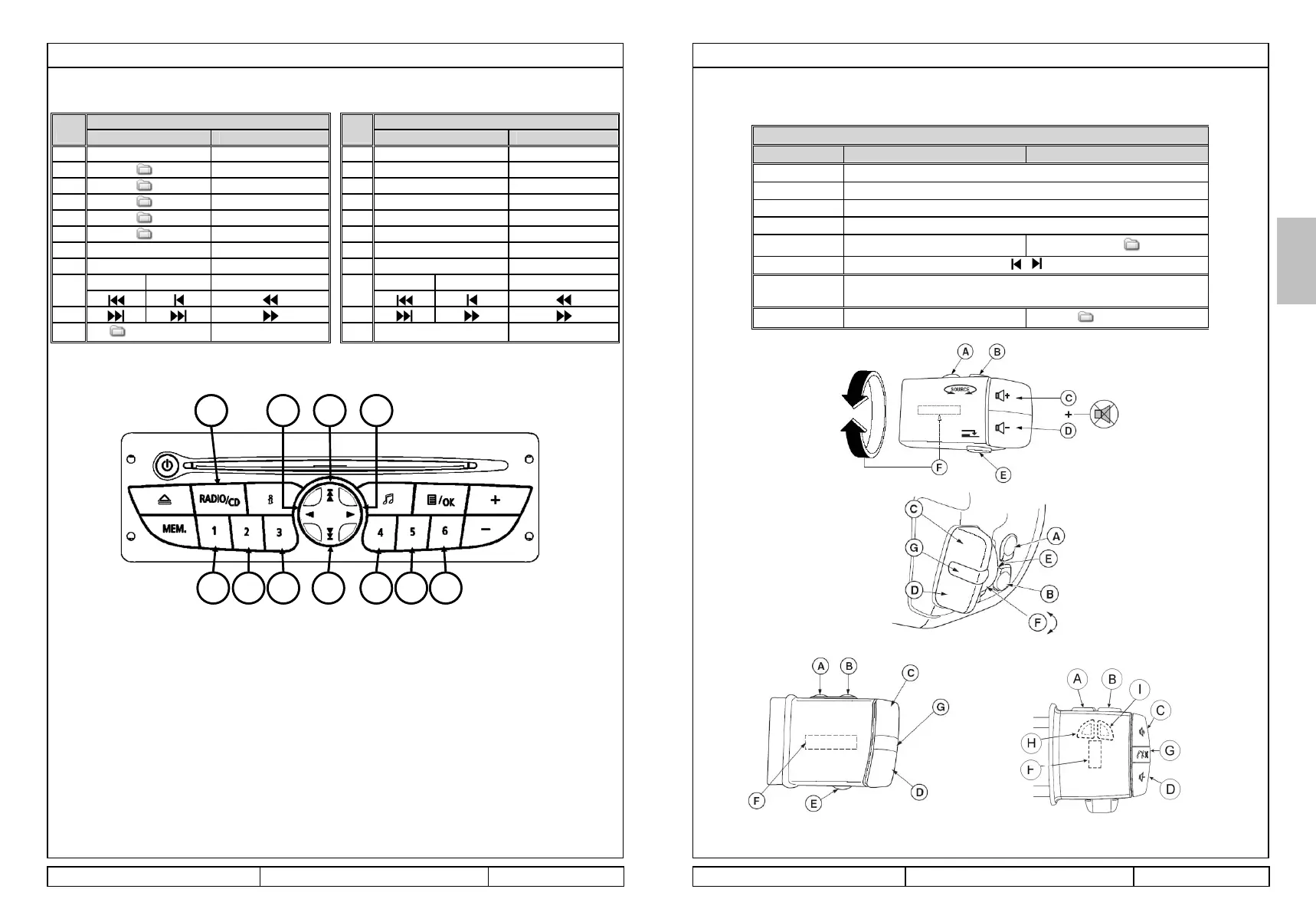
The functionality for the Audio Connection Box is defined in the following table and sections.
Operating instruction
Satellite steering wheel control functions
You can access the following functions with the steering wheel buttons.
Steering Wheel control Function
iPod USB
A Source (AM/FM/CD changer/AUX) ►
B Source (AM/FM/CD changer/AUX) ◄
C Volume +
D Volume -
E Playlist +
Next
F /
G or C+D
simultaneously
Pause
H / I
Playlist / Music files
/ Music files
If the iPod does not have 5 playlists configured, button E on the remote stalk cannot be used.
To access the playlists, use buttons B,C,D,E,F and G on the radio.
ENGLISH
USB
Press & release <1s Press & hold >2s
A
Source -
B
1
-
C
2
-
D
3
-
E
4
-
F
5
-
G Play all music files
-
Playback time
<= 2s > 2s
H
I
J/K
/ Music files
B C D E F G
H
I
A J K
B C D E F G
H
I
A J K
iPod
Press & release <1s Press & hold >2s
A
Source
-
B
Playlist1
-
C
Playlist2
-
D
Playlist3
-
E
Playlist4
-
F
Playlist5
-
G
Play all music files
-
Playback time
<= 2s > 2s
H
I
J/K Playlist / Music files
When using AUX IN, the volume -
+ and pause are operating



 To Next Page