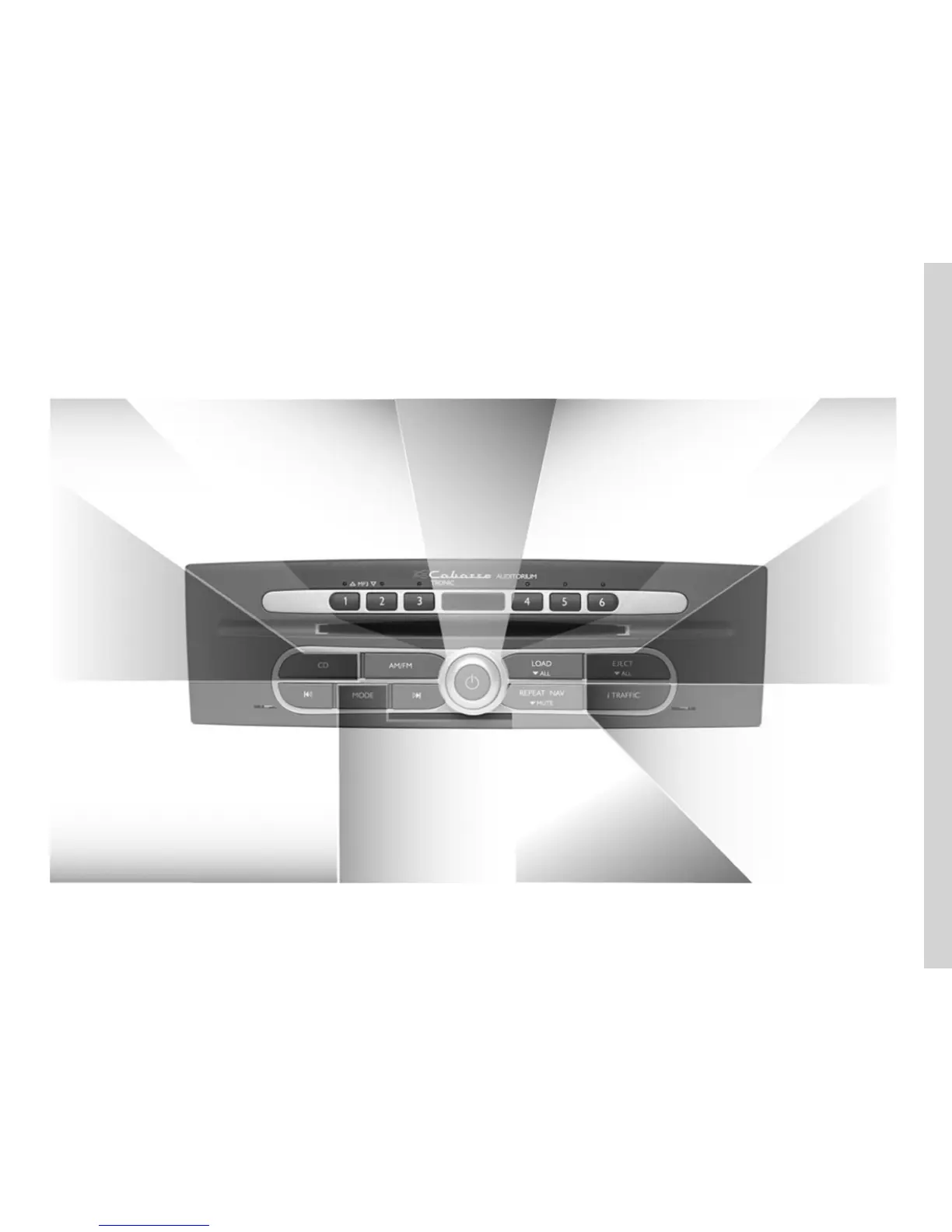
> Activate the radio
source and display the
radio on the full screen
AM/FM to
ÉÊ
:
From 1 to 3 (radio source) to
> Store (long press)
> Recall radio station selections (short press)
> Change band
From 1 to 3 (CD source) to
Select a CD from the changer
ON/OFF:
audio system
> Adjust the volume
From 4 to 6 (radio source) to
> Store (long press)
> Recall radio station selections (short press)
From 4 to 6 (CD source) to
Select a CD from the changer
LOAD to
> Load a CD (short
press)
> Load several CDs
(long press)
EJECT to
> Eject a CD (short press)
> Eject all of the CDs (press
and hold)
CD to
> Activate the CD source
> Display the CD source on
the full screen
> Scroll through the radio lists
> Search for a CD/MP3 CD track
> Search for a station/radio frequency
> Fast forward/Rewind a CD/MP3 CD track (press and hold)
MODE to
> Change the CD source reading
mode (Repeat, Random)
> Change station selection mode
(PRESET, LIST, MANUAL) for radio
source
REPEAT NAV to
> Repeat/interrupt the last
guidance or TMC traffic
information voice message
(short press)
MUTE to
> Activate voice guidance (long press)
> Deactivate voice guidance
i TRAFFIC to
> Activate/Deactivate Traffic information
(short press)
> Activate/Deactivate the i PTY function
(long press)
ROTATE to



 To Next Page