4/28 28/12/2020 8201739626--A
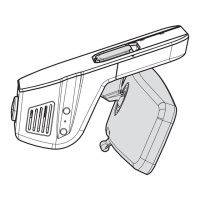
The Renault Dashcam is an onboard camera that records video clips automatically, at user request or, in case of emergency. The camera will record 1 min
before + 1 min after the event (default) in case of emergency. The video files are stored on local SD card. For detailed information, see the Renault
Dashcam App Guide available in the mobile App.
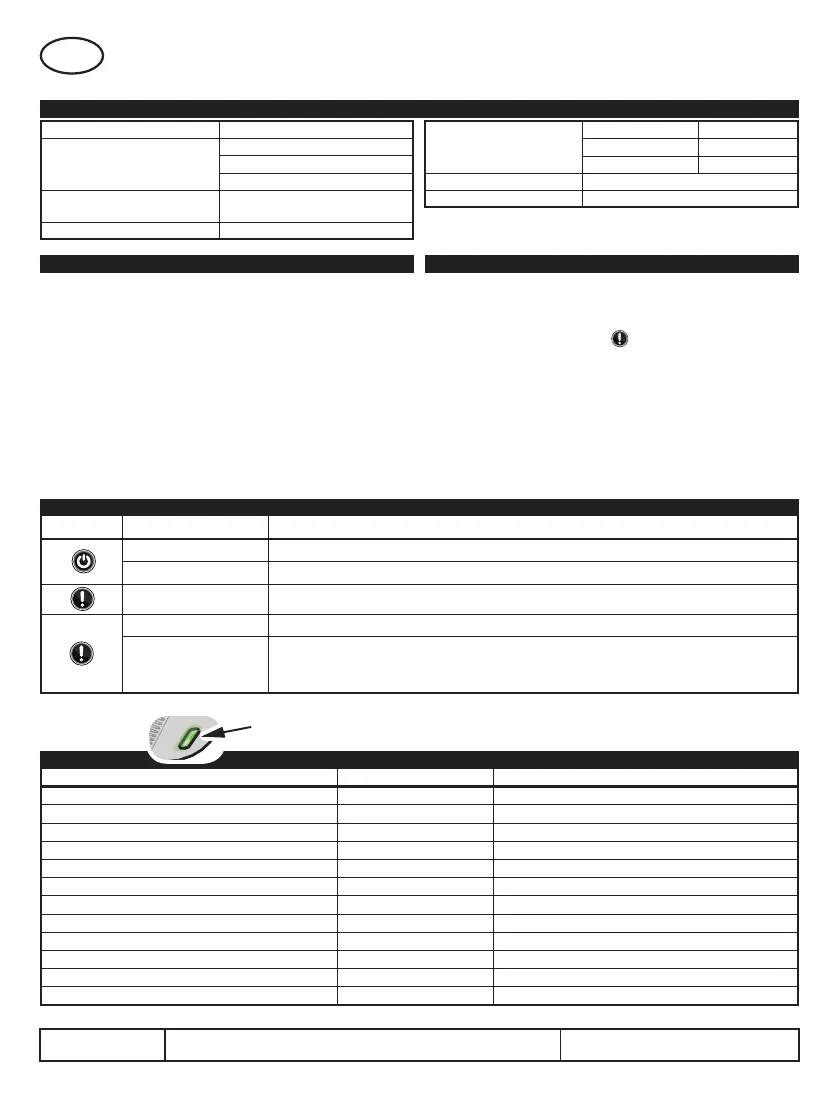
1. TECHNICAL SPECIFICATION
Power Supply 12V DC
Recording Resolution
Full HD no HDR @60FPS
Full HD no HDR @30FPS
Full HD HDR @30FPS
Wi-Fi
2412~2472MHz for 2.4G Band
5180MHz for 5G Band
Onboard GPS 1575.42MHz (RX only)
View angle
Horizontal 111°
Vertical 57°
Vertical Diagonal 139º
Operating temperature – 40ºC ~ +85ºC
Storage temperature – 40ºC ~ +85ºC
EN
2. PRODUCT FEATURES
■ Video quality
▪ Full HD resolution non HDR at 60 FPS or 30 FPS
▪ Full HD resolution HDR at 30 FPS
■ G sensor crash/park protection
▪ Crash sensor (default ON) – records a 2-minutes video protected
file (one minute before + one minute after) when a certain G level is
exceeded during driving the car.
▪ Park mode (default OFF) – records a 1-minute video when a shock is
detected while the car is parked.
■ Wireless communication
▪ Bluetooth – used to setup features and control the Dashcam with mobile
device
▪ Wi-Fi – used to send live video stream or download files stored on SD Card to
mobile device
3. STARTING UP AND USING THE DASHCAM
■ Install the Renault Dashcam App on your mobile device. On the first page,
you will find iOS and Android QR codes.
■ Bluetooth (BT) pairing
▪ ►Turn the ignition ON ►Wait until the main LED turns Green ON (3
seconds) ►Press the BT button and keep it pressed until main LED
flashes Green ►On mobile device click on “+”symbol ►Select Dashcam-
xxxxx ► Dashcam main LED will turn solid a particular color ►Confirm
corresponding color on Renault Dashcam App when asked
■ Connect to device
▪ ►Turn the ignition ON and wait until Main LED stay Green for 3 seconds
►Connect the mobile device to Dashcam
5. DEVICE STATUS LED COLOR
DEVICE STATUS LED COLOR ACTION
Power ON/ Valid SD Card inserted GREEN - 3 Sec
Power OFF GREEN - 3 ashes
Power ON using Main Button GREEN - 3 Sec
Reset to defaults WHITE - 3 Sec
SD Card Full WHITE - Flashing quickly Free some space on SD Card
Enter BT pairing mode GREEN - Flashing see 3. Bluetooth (BT) pairing
Start Video Recording BLUE - 3 Sec
Stop recording BLUE - 3 Flash
Date/ time not set. NO le will be recorded. VIOLET - 10 Sec Flash
Connect Renault Dashcam App to mobile device
Park sensor triggered BLUE - 10 Sec Flash Check park video recording on SD Card
The Dashcam is overheating
RED - 30 Sec continuous Remove heat source
SD Card not present, not formatted or defective
RED - 2 Flashes Insert, Format or Replace SD Card
LED COLOR
4. BUTTONS FUNCTIONS
BUTTONS FUNCTION ACTION
Power ON / Power OFF Long press – 3 seconds
Start Event recording Short press
Snapshot Short press
Start BT pairing Long press – 3 seconds (device status ON)
Reset to defaults
Ignition OFF / Power OFF
►Press and keep button pressed ►Turn the ignition ON ►Wait until LED is White for 3s then o
►Release button ►LED will turn Green for 3s then o


 To Next Page