2.53
Activation/deactivation
Vehicles fitted with a navigation
system
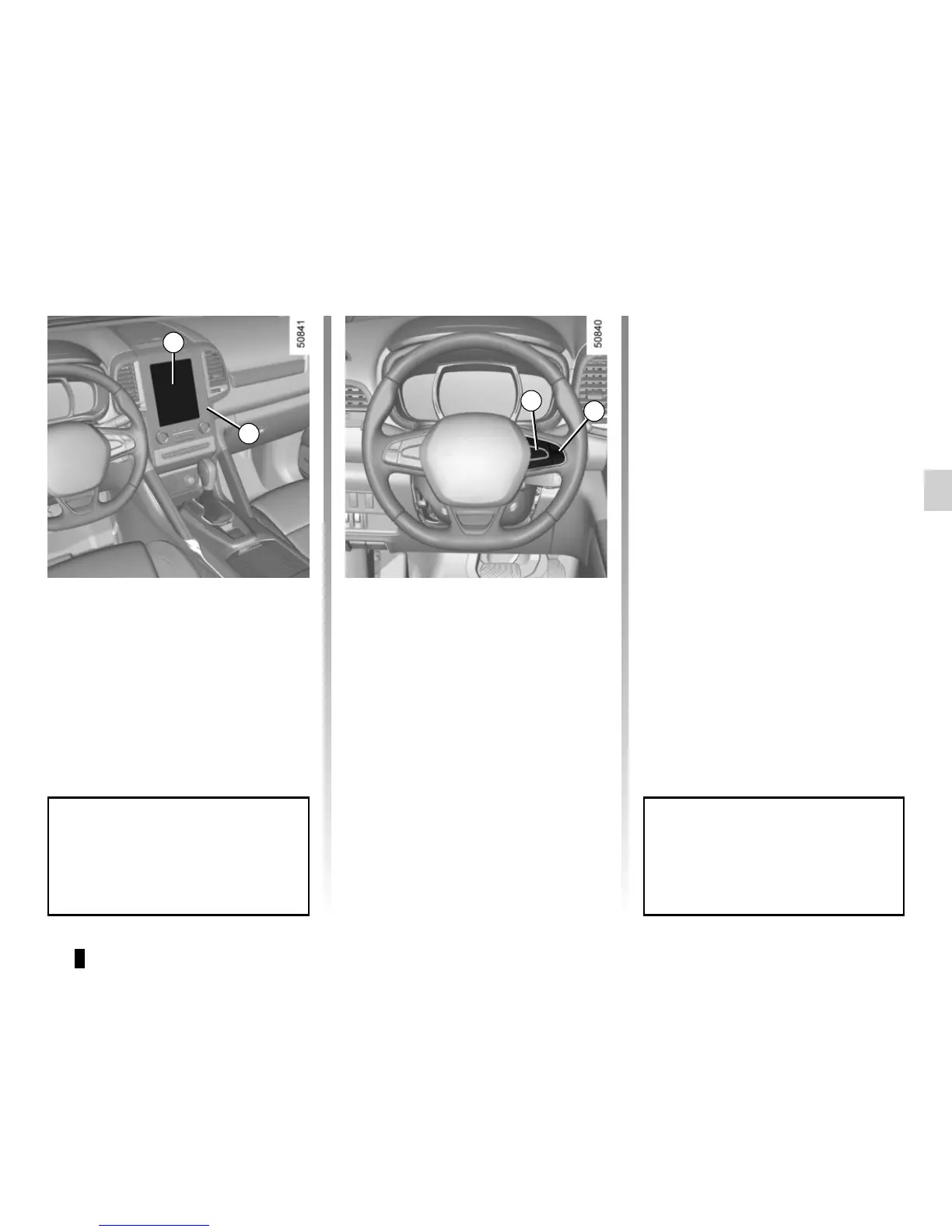
On the multifunction screen 2, select
the “Vehicle” menu, “Driving assist-
ance”, and “Driving assistance”, and
then choose “ON” or “OFF”.
You can access menu “Driving as-
sistance” directly from button 3
.
Vehicles not fitted with a navigation
system
– With the vehicle at a standstill, press
and hold the switch 4 OK to access
the settings menu;
– repeatedly press the control 5 up or
down until you reach the “Driving as-
sistance” menu. Press the switch 4
OK;
BLIND SPOT WARNING (2/4)
– repeatedly press control 5 up or
down until you reach the “Blind spot
alert” menu, then press the switch 4
OK.
– Press the switch 4 OK again to acti-
vate or deactivate the function.
2
4
5
When the engine is started, the
system remembers its position
when the ignition was last switched
off.
3










 To Next Page