3.23
Note: For vehicles fitted with a naviga-
tion system, you can use the multifunc-
tion screen to deactivate/activate the
courtesy lights which come on when
the doors or boot are opened. To do
this, please refer to “Vehicle settings
customisation menu” in Section 1.
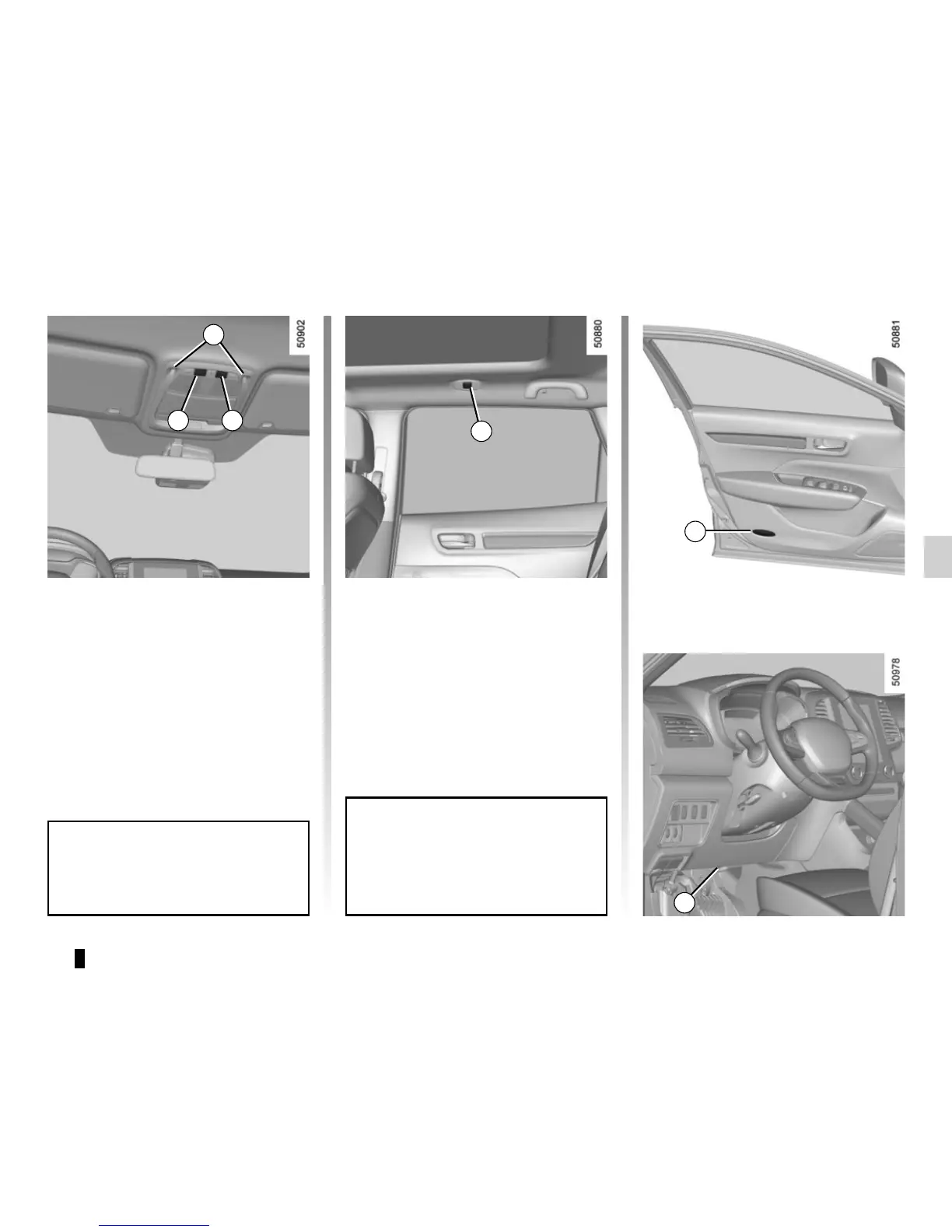
Interior lights switch 1
Press switch 1 to turn on/off map read-
ing light 3 and 4. When a door is open,
door light 5 and foot light 6 are ON.
Interior lights switch 2
Press switch 1 to turn on/off door light 5
and foot light 6. When a door is open,
map reading light 3 and 4 are ON. You
can turn on/off the front door and foot
lights with the switch 2 control although
the doors are closed.
When the doors or boot are un-
locked and opened, the reading and
footwell lights come on temporarily.
INTERIOR LIGHTING (1/3)
With the doors properly shut, lock-
ing or starting the engine makes the
interior lights and the courtesy lights
go out.
4
3
5
12
Front door lights 5
Front footwell lights 6
6










 To Next Page