8
ENTERING A DESTINATION (3/3)
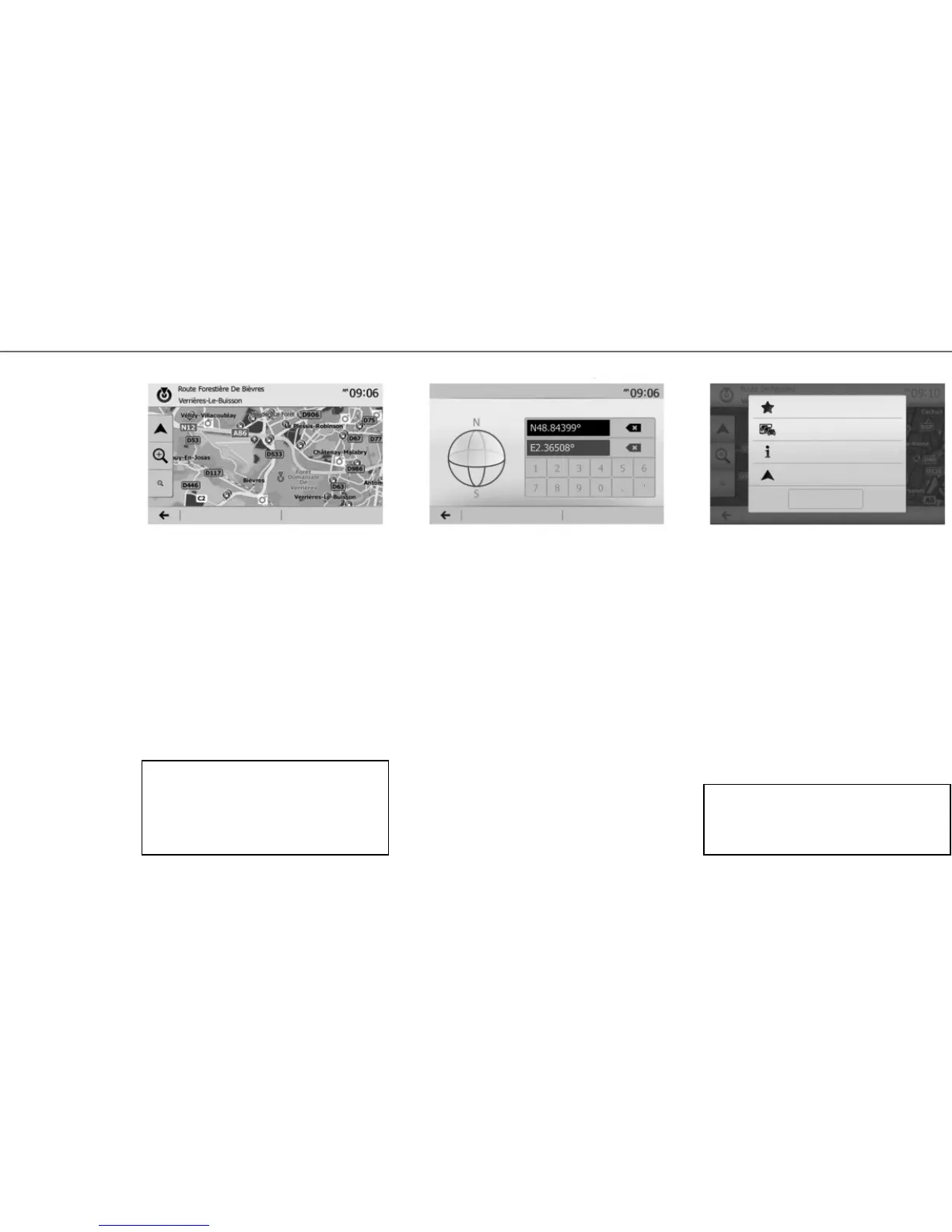
“FIND ON MAP”
This function allows you to define a destination
from the map. From the navigation screen, move
around the map to position the cursor on your des-
tination, then press “OK” to confirm: the system
calculates the route.
“COORDINATE”
This function allows you to define a destination
using latitude and longitude values.
– “Options”, then “Back to car” enables you to pin-
point your vehicle’s current location;
– “OK” activates guidance.
Confirming the
destination
When the calculation is complete, the system
offers you several options:
– “Options”, then “Add to favourites” enables you
to add destination addresses to your favourites;
– “Options” then “Current traffic” obtains informa-
tion on traffic incidents flagged on your route, or
in your immediate vicinity;
– “Options”, then “News” allows you to consult the
address, latitude, longitude and phone number
(phone number is only activated after selecting
a point of interest known to the system);
Options
OK Options OK
Add to favourites
Current traffic
News
Close
Coordinate
Options OK
If the coordinates or map location entered do not
match an accessible location (street or path), the
system will create an error message.
Back to car
If an active route exists, you can select the des-
tination as a new route or stage.



 To Next Page